
HTTPie: A Human-Centered Tool That Reshapes API Debugging
In backend development, API debugging can easily take up a third of the workday. curl is powerful but hard to use; Postman is feature‑rich but bloated, and its subscription model is confusing. HTTPie offers a fresh alternative.
What stands out most about HTTPie is its pursuit of human‑centered design. It makes complex HTTP requests simple and intuitive.
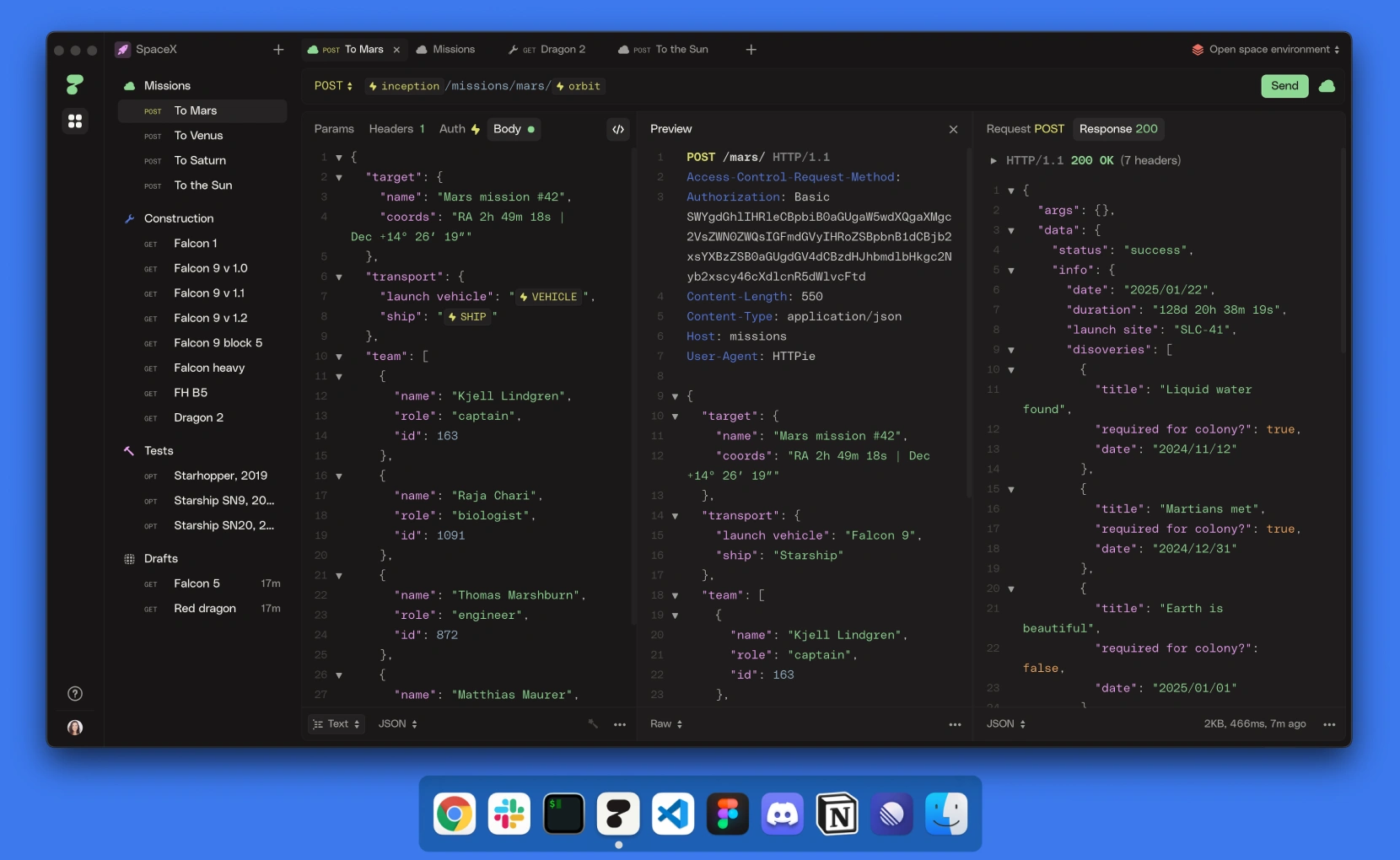
- Visual request building: click to build HTTP requests with all parameters — auth, headers, body — supporting REST, GraphQL, and classic HTTP.
- Export in multiple formats: one‑click export to curl, HTTPie CLI, and more for sharing or documentation.
- Highlighted responses: auto‑format JSON with syntax highlighting and search.
- Offline use: no sign‑up required; full features offline, with cross‑device sync.
Quick Start
Installation
HTTPie comes in two forms. The web version is at https://httpie.io/app or the short alias https://req.new. The desktop app supports macOS, Windows, and Linux, downloadable from https://httpie.io/download.
Linux users should note the AppImage format — AppImageLauncher is recommended for a better experience.
Basics
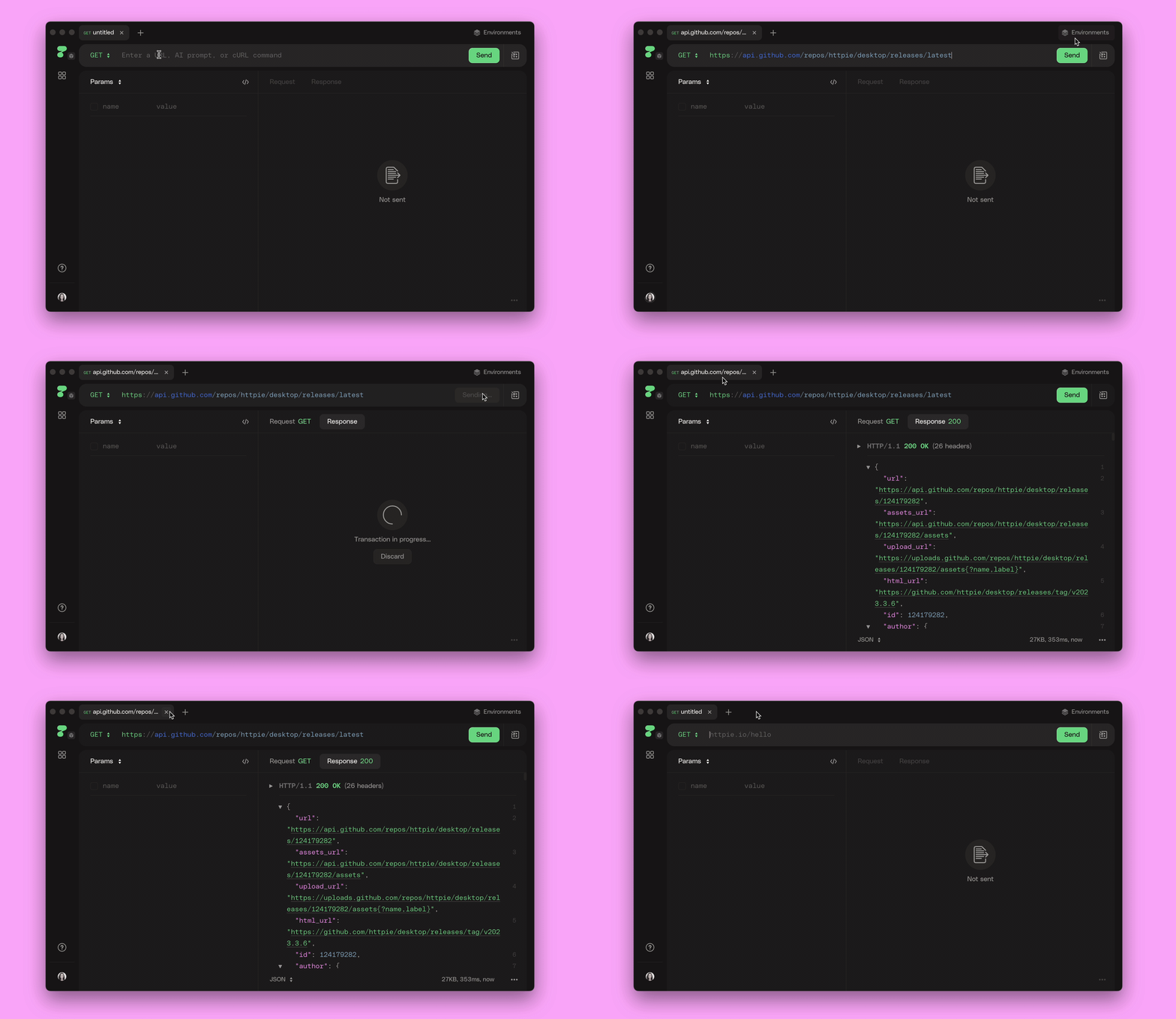
You only need two things to create a request: HTTP method and URL. HTTPie auto‑switches methods based on content (e.g., adding a body switches GET to POST).
HTTPie supports importing curl commands directly. Paste any curl command into the URL field and it auto‑parses parameters. You can also bulk import via the sidebar “+” menu and “Import.”
Headers are edited in a dedicated form with auto‑complete and smart merging. Auth supports Basic, Bearer Token, and API Key. Request bodies support text, forms, file uploads, and GraphQL, each with tailored editors and previews.
Design Philosophy
Reduce Cognitive Load
Traditional API tools prioritize completeness. HTTPie takes the opposite path: it abstracts HTTP into a few core concepts — method, URL, headers, auth, body — reducing mental overhead.
Workflow Integration
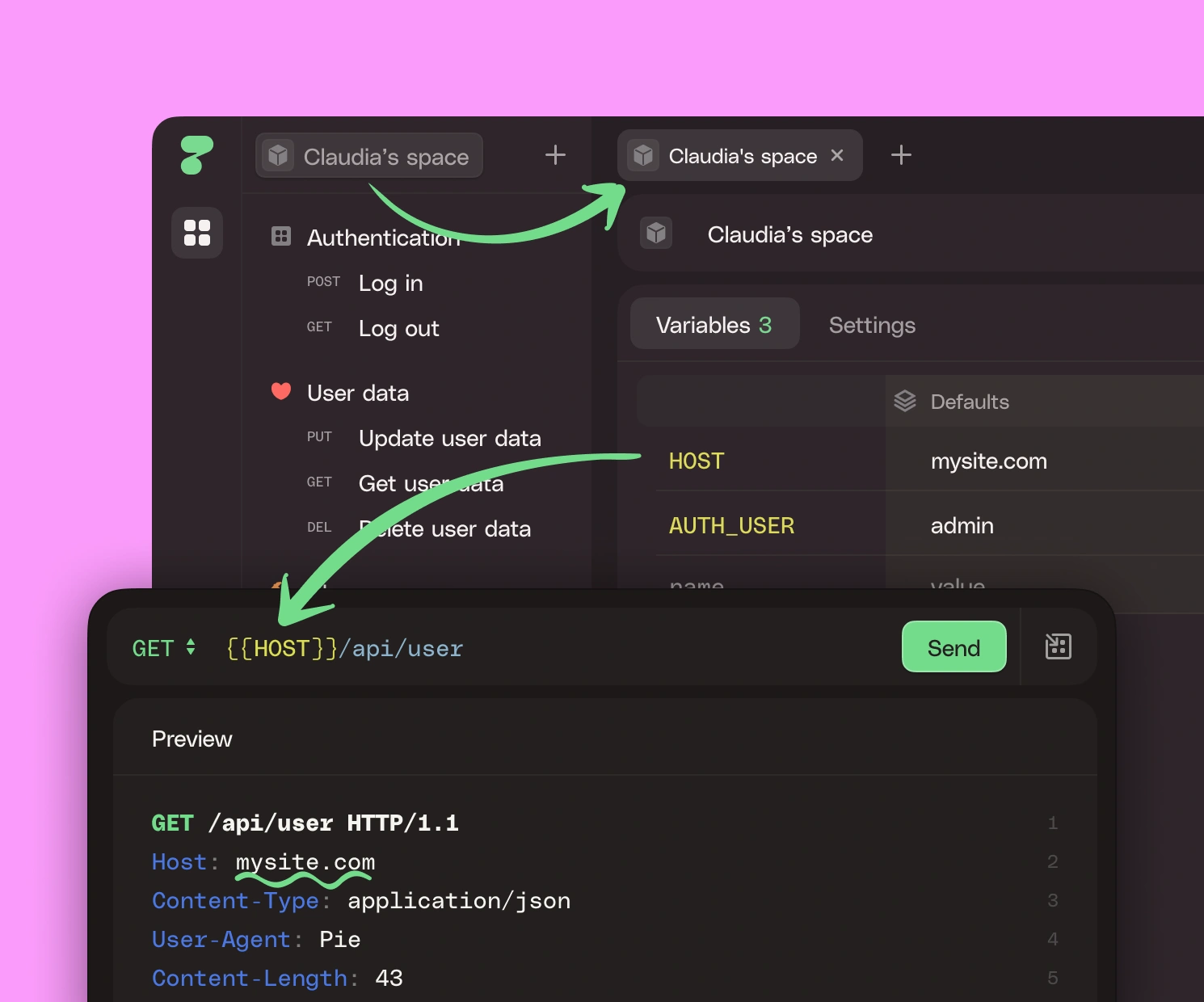
HTTPie’s variable system and environment management reflect real development needs. Developers switch between dev/test/prod constantly, but traditional tools make it painful. HTTPie lets you define variables and switch environments quickly.
Collections improve team collaboration. Related API requests live in one collection, inherit auth and environment variables, and avoid repeated configuration.
HTTPie also understands modern workflows: fully offline mode means debugging works even with unstable networks or strict security requirements. Users who don’t want to register can still use all core features locally.
When cross‑device collaboration is needed, real‑time sync keeps data consistent. Collections created on a desktop and environment tweaks on a laptop stay aligned everywhere. This flexibility makes HTTPie fit different team habits and security needs.
AI Assistance
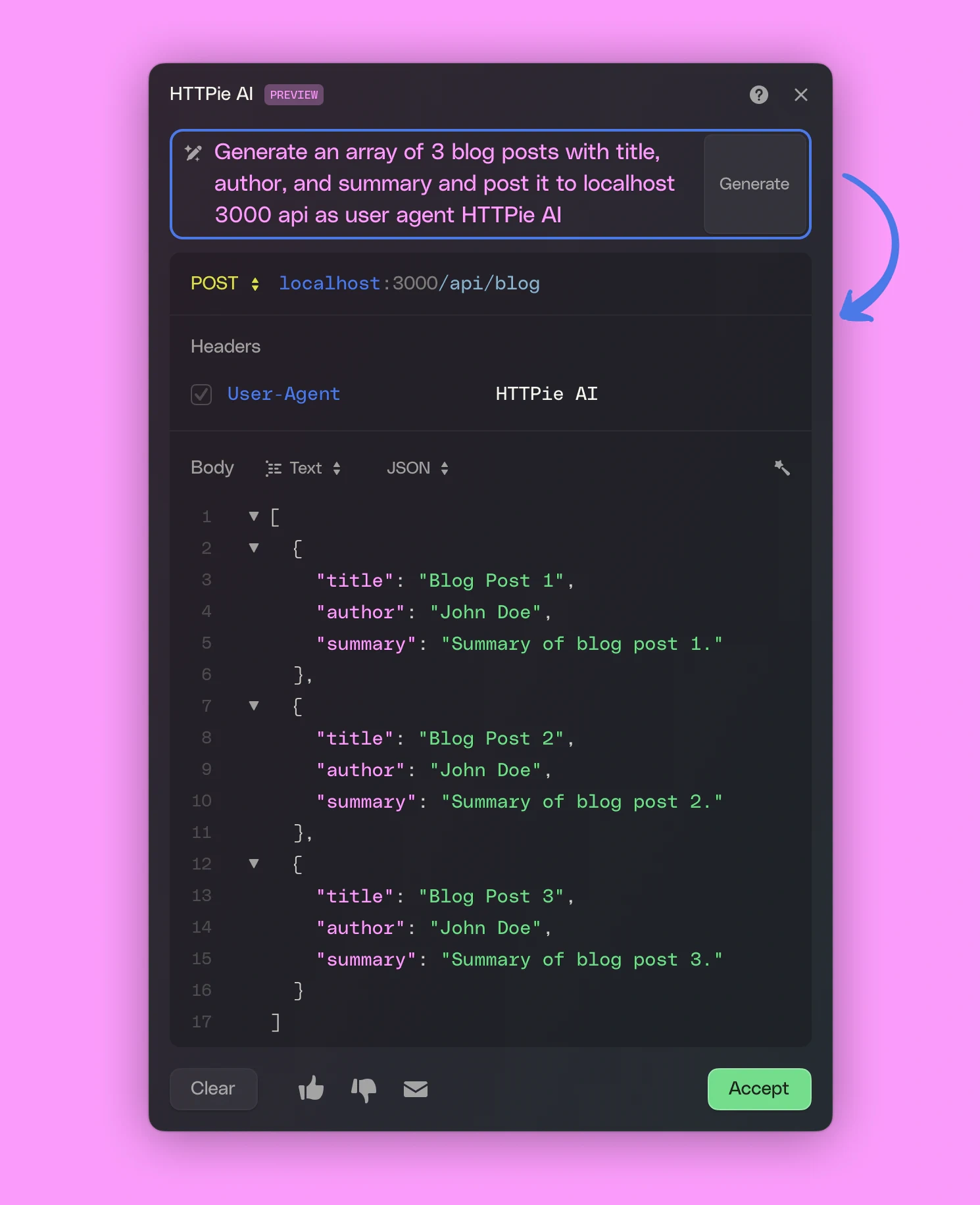
HTTPie recently introduced AI‑assisted requests. You can describe what you want in natural language, and it generates the HTTP request. Example: “Fetch GitHub user list,” and it builds the corresponding GitHub API call.
This reduces the need to dig through API docs and helps developers onboard quickly.
Final Thoughts
Choosing HTTPie is choosing a development philosophy: tools should serve people, not force people to adapt to tools. This matters in fast‑iterating development environments.
HTTPie’s cross‑platform support and sync ensure consistent experiences across devices and OSs — crucial for distributed teams.
HTTPie redefines the standard for API debugging tools. It shows that the best developer tools are not about piling on features, but about deep understanding of user needs and polished experience. In an API‑first era, it’s worth trying.