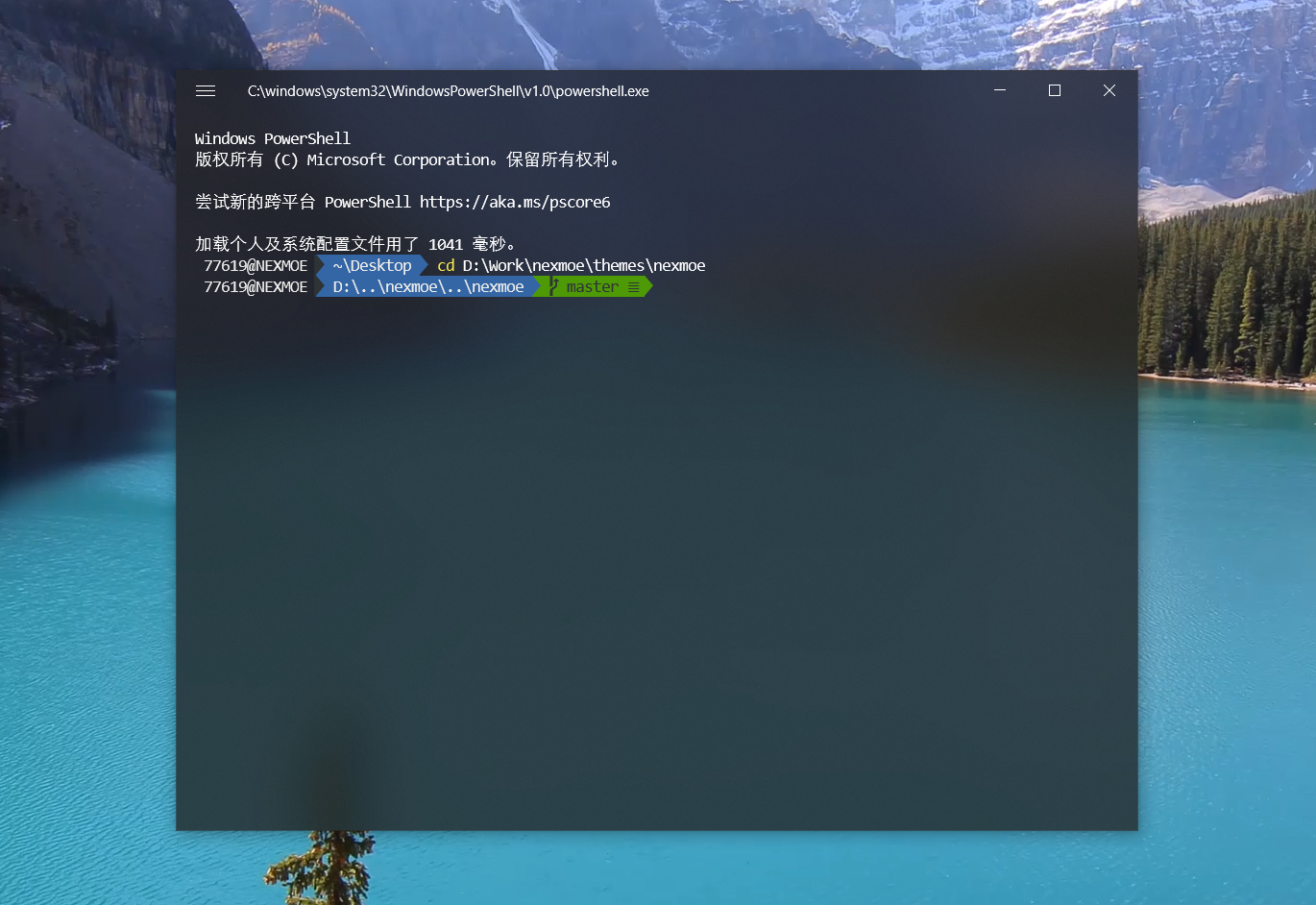
Today I Switched Friend Links to Markdown and Something Terrible Happened!
Because the HTML code was too messy, I wanted to switch to Markdown format. I borrowed Jrotty’s code, but it didn’t do what I wanted. I tinkered for a long time and finally got it almost right, then something terrible happened…
Compressed HTML
<a class="btn btn-raised"title="分享互联网的宝藏"href="https://aoaoao.me/"target="_blank"><img src="https://ws1.sinaimg.cn/large/006pSa7Qgw1fbrawpcvjnj302s02sweb.jpg"> <p>树洞</p></a><a class="btn btn-raised"title="一只野生的自由Geek"href="https://blog.viosey.com/"target="_blank"><img src="https://ws1.sinaimg.cn/large/006pSa7Qgw1fbrb5kz8dpj304g04gglj.jpg"> <p>Viosey</p></a><a class="btn btn-raised"title="热爱技术和生活的程序员"href="http://www.yelook.com/"target="_blank"><img src="https://ws1.sinaimg.cn/large/006pSa7Qgw1fbrbj1a9tcj302s02sjr7.jpg"> <p>有野出没</p></a><a class="btn btn-raised"title="用code写出对二次元的热爱!"href="http://853.bronya.net/"target="_blank"><img src="https://ws1.sinaimg.cn/large/006pSa7Qgw1fbrbl6j81cj30hs0hs400.jpg"> <p>Sonic853</p></a><a class="btn btn-raised"title="ペロペロ"href="https://www.anotherhome.net/"target="_blank"><img src="https://ws1.sinaimg.cn/large/006pSa7Qgw1fbrblwpndyj309w09wt93.jpg"> <p>DIYGod</p></a><a class="btn btn-raised"title="只是一些我的胡说八道罢了"href="http://blog.jinkunchen.com/"target="_blank"><img src="https://ws1.sinaimg.cn/large/006pSa7Qgw1fbrbn4gkk1j30hs0hsgm9.jpg"> <p>卷卷有空格</p></a><a class="btn btn-raised"title="是萝莉控真是太好了"href="http://siitake.cn/"target="_blank"><img src="https://ws1.sinaimg.cn/large/006pSa7Qgw1fbrbqj62n0j3074074q3n.jpg"> <p>香菇社长</p></a><a class="btn btn-raised"title="活靠幻想,技术靠转载!"href="https://qqdie.com/"target="_blank"><img src="https://ws1.sinaimg.cn/large/006pSa7Qgw1fbrbrcgv0bj30b40b4408.jpg"> <p>Jrotty</p></a><a class="btn btn-raised"title=" 一只蒟蒻的日常"href="http://wnjxyk.cn/"target="_blank"><img src="https://ws1.sinaimg.cn/large/006pSa7Qgw1fbrbs6h3yuj30gn0gm75r.jpg"> <p>WNJXYK</p></a><a class="btn btn-raised"title="兰陵の废宅基地"href="http://blog.thkira.com/"target="_blank"><img src="https://ws1.sinaimg.cn/large/006pSa7Qgw1fbrbteserej30k00k0gn8.jpg"> <p>兰陵 DA☆ZE</p></a><a class="btn btn-raised"title="就好像看透了我的心思一般,你总是突然出现……"href="https://www.dreamwings.cn/"target="_blank"><img src="https://ws1.sinaimg.cn/large/006pSa7Qgw1fbrbukyc33j308c08c74j.jpg"> <p>千千</p></a><a class="btn btn-raised"title="一个喜欢捣鼓前端的产品汪。"href="http://shawnzeng.com/"target="_blank"><img src="https://ws1.sinaimg.cn/large/006pSa7Qgw1fbrbvj35yij30cj0cjmyl.jpg"> <p>Shawn</p></a><a class="btn btn-raised"title="萝莉即是一切"href="https://www.ailoli.org/"target="_blank"><img src="https://ws1.sinaimg.cn/large/006pSa7Qgw1fbsgaz6xf8j30go0godh5.jpg"> <p>Ailoli</p></a><a class="btn btn-raised"title="2333333333333"href="http://hi-paul.space"target="_blank"><img src="https://ws1.sinaimg.cn/large/006pSa7Qgy1fc0i6dwd86j30e10e1gof.jpg"> <p>保罗</p></a><a class="btn btn-raised"title="喜欢萌妹の变态鹅"href="https://blog.conoha.vip/"target="_blank"><img src="https://ws1.sinaimg.cn/large/006pSa7Qgy1fc24txdskgj30g40g477s.jpg"> <p>Moehentai</p></a><a class="btn btn-raised"title="Troy的星球"href="https://itroy.cc"target="_blank"><img src="https://ws1.sinaimg.cn/large/006pSa7Qgy1fc3w9wldgxj30e80e8e1c.jpg"> <p>Troy</p></a><a class="btn btn-raised"title="幻想主義者"href="https://www.54yt.net/"target="_blank"><img src="https://ws1.sinaimg.cn/large/006pSa7Qgy1fcccka7mfsj308m08mjrz.jpg"> <p>玉兔</p></a><a class="btn btn-raised"title="博客主要是记录日常生活,开发过程有用的东西,还有制作成果展示等等,欢迎访问。"href="https://www.fghrsh.net/"target="_blank"><img src="https://ws1.sinaimg.cn/large/006pSa7Qgy1fcmi1v7bpyj30go0go177.jpg"> <p>FGHRSH</p></a><a class="btn btn-raised"title="超级迷茫中。。。"href="https://hran.me/"target="_blank"><img src="https://ws1.sinaimg.cn/large/006pSa7Qgy1fcuxwll0lpj30b40b4q3k.jpg"> <p>Hran</p></a><a class="btn btn-raised"title="私たちはずっとμ's!!!!!!!!"href="https://kotori.love/"target="_blank"><img src="https://ws1.sinaimg.cn/large/006pSa7Qgy1fcvsloueiuj308c08caa7.jpg"> <p>ココロ</p></a><a class="btn btn-raised"title="我有一壶酒,足矣慰风霜。"href="https://sa.bi/"target="_blank"><img src="https://ws1.sinaimg.cn/large/006pSa7Qgy1fcvt6nv3cvj304q04qjra.jpg"> <p>Dragonborn</p></a><a class="btn btn-raised"title="零三青年,只会作死,喜欢喝茶、中二、敲代码❤"href="https://idiot.moe/"target="_blank"><img src="https://ws1.sinaimg.cn/large/a15b4afegy1fd3yir3bo0j20b40b43ya.jpg"> <p>蔡锶铎</p></a><a class="btn btn-raised"title="你不爱我了QAQ"href="https://www.iqi7.com/"target="_blank"><img src="https://ws1.sinaimg.cn/large/a15b4afegy1fd3ze85p3yj20hs0hsq3e.jpg"> <p>七夏浅笑</p></a><a class="btn btn-raised"title="次元隙小站"href="http://waxxh.me/"target="_blank"><img src="https://ws1.sinaimg.cn/large/006pSa7Qgy1fdovyvnq31j303903bq3s.jpg"> <p>Waxxh</p></a><a class="btn btn-raised"title="记录成长的点点滴滴"href="http://monsterlin.com/"target="_blank"><img src="https://ws1.sinaimg.cn/large/006pSa7Qgy1fdow0sn4qlj305k05ka9z.jpg"> <p>monsterlin</p></a><a class="btn btn-raised"title="泛着旧时记忆的空白扉页"href="http://www.0page.org/"target="_blank"><img src="https://ws1.sinaimg.cn/large/006pSa7Qgy1fdq5jy7copj3046046gmo.jpg"> <p>0page</p></a><a class="btn btn-raised"title="人生来就不是为了被打败的"href="http://ttt.lc/"target="_blank"><img src="https://ws1.sinaimg.cn/large/6513ad21jw8f5zcn0uk34j20kv0kv3zz.jpg"> <p>桃先森</p></a><a class="btn btn-raised"title="404 NOT FOUND"href="https://xiaolin.in/"target="_blank"><img src="https://ws1.sinaimg.cn/large/006pSa7Qgy1fec4otg2xej30dw0dwwfo.jpg"> <p>小霖</p></a><a class="btn btn-raised"title="把设计师气到脑中风2333∠( ᐛ 」∠)_"href="https://www.metheno.net/"target="_blank"><img src="https://ws1.sinaimg.cn/large/006pSa7Qgy1felao15513j3064064glu.jpg"> <p>metheno</p></a><a class="btn btn-raised"title="永远相信,美好的事情即将发生"href="https://blog.lim-light.com/"target="_blank"><img src="https://ws1.sinaimg.cn/large/006pSa7Qly1fenes19futj30hs0hsmy7.jpg"> <p>黎明余光</p></a><a class="btn btn-raised"title="喵~"href="https://blog.taku.life/"target="_blank"><img src="https://ws1.sinaimg.cn/large/006MhmB7gy1ff2s4jq0qsj3028028744.jpg"> <p>ギリ猫</p></a><a class="btn btn-raised"title="努力的成为一个有趣的人"href="http://neverlove.me"target="_blank"><img src="https://ws1.sinaimg.cn/large/006MhmB7gy1fh19u4rfa0j305k05k404.jpg"> <p>不才博客</p></a><a class="btn btn-raised"title="这是很好的一生"href="https://www.qqstop.cn/"target="_blank"><img src="https://ws1.sinaimg.cn/large/006MhmB7gy1fh19v5rh1xj30b40b474i.jpg"> <p>Kevan's Blog</p></a><a class="btn btn-raised"title="暮冬时烤雪,迟夏写长信"href="https://iu.tn/"target="_blank"><img src="https://ws1.sinaimg.cn/large/006MhmB7gy1fh19wcga7lg305k05kmyk.gif"> <p>三秋</p></a><a class="btn btn-raised"title="聆听最初的声音,向往无尽的未来"href="https://imiku.me/"target="_blank"><img src="https://ws1.sinaimg.cn/large/006pSa7Qgy1feulw1frmsj306o06oq4i.jpg"> <p>冰凌胧月</p></a><a class="btn btn-raised"title="暮光博客是一个分享生活记录以及互联网技术文章的个人博客"href="https://muguang.me/"target="_blank"><img src="https://ws1.sinaimg.cn/large/006MhmB7gy1fh1at1iiubj3050050t8m.jpg"> <p>暮光博客</p></a>Pretty spectacular, right?
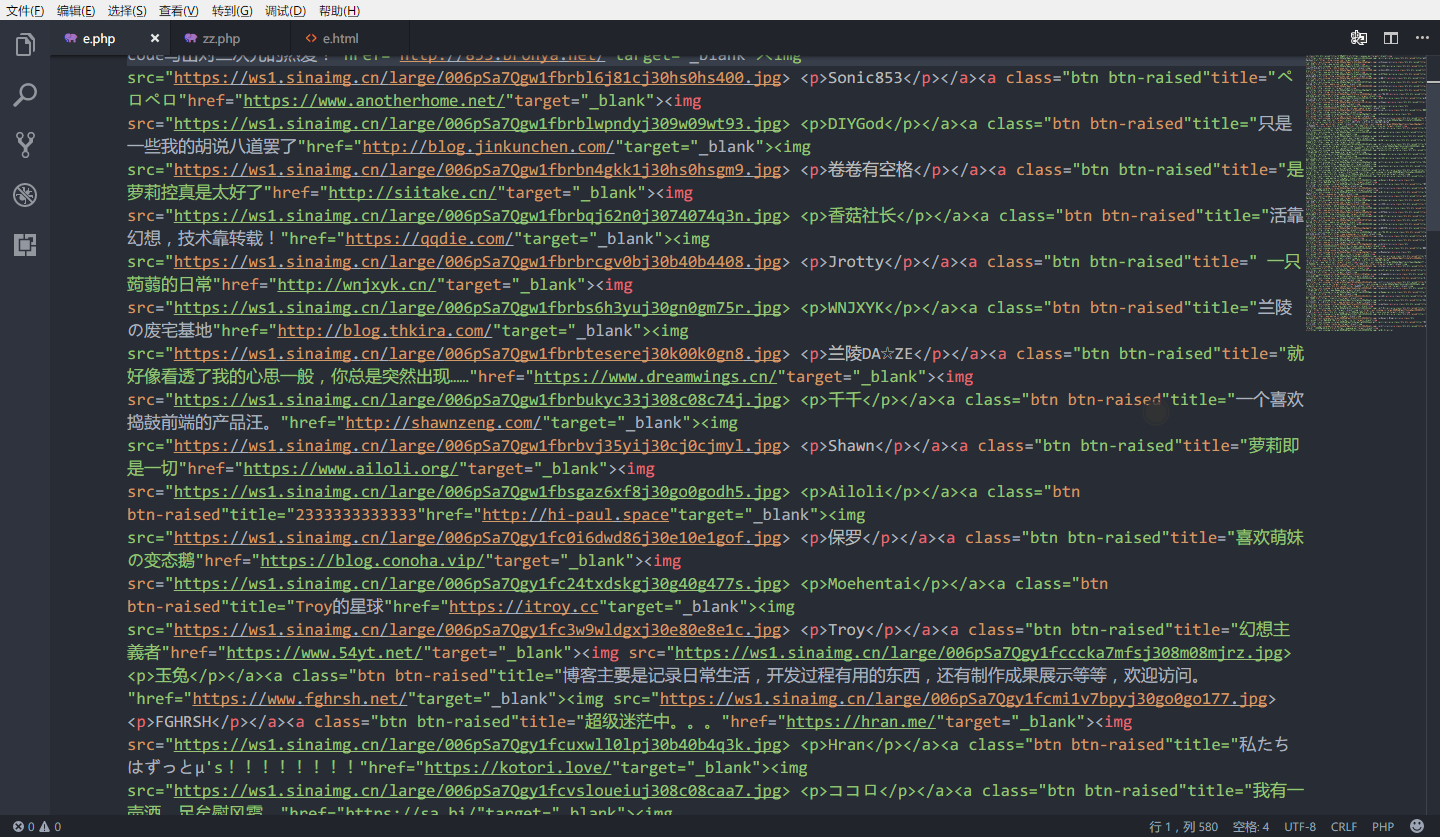
Yes, this was my original HTML code. Seeing this, I wasn’t happy. Manually reformatting that many entries one by one is basically asking me to do it against my conscience!
How I handled it
So I put the code above into a file called e.html, then created a zz.php (“idiot”) script.
<?php
$str = file_get_contents("e.html");
preg_match_all('/title="(.*?)"href="/(.</span><span style="color:#F97583">*?)"target="_blank">/is',$str,$array);
preg_match_all('/<p>(.*?)<\/p>/is',$str,$array2);
preg_match_all('/<img src="/(.</span><span style="color:#F97583">*?)">/is',$str,$array3);
$x=0;
while ($array[0][$x] != ''){
$str = preg_replace('#title="(.*?)"href="/(.*?)"target="_blank">#','$1', $array[0][$x]);
$str1 = preg_replace('#title="(.*?)"href="/(.*?)"target="_blank">#','$2', $array[0][$x]);
$str2 = preg_replace('#<img src="/(.*?)">#','$1', $array3[0][$x]);
$str3 = preg_replace('#<p>(.*?)<\/p>#','$1', $array2[0][$x]);
echo '-  ['.$str3.']('.$str1.' "'.$str.'")<br>'."\n";
$x++;
}
?>Result
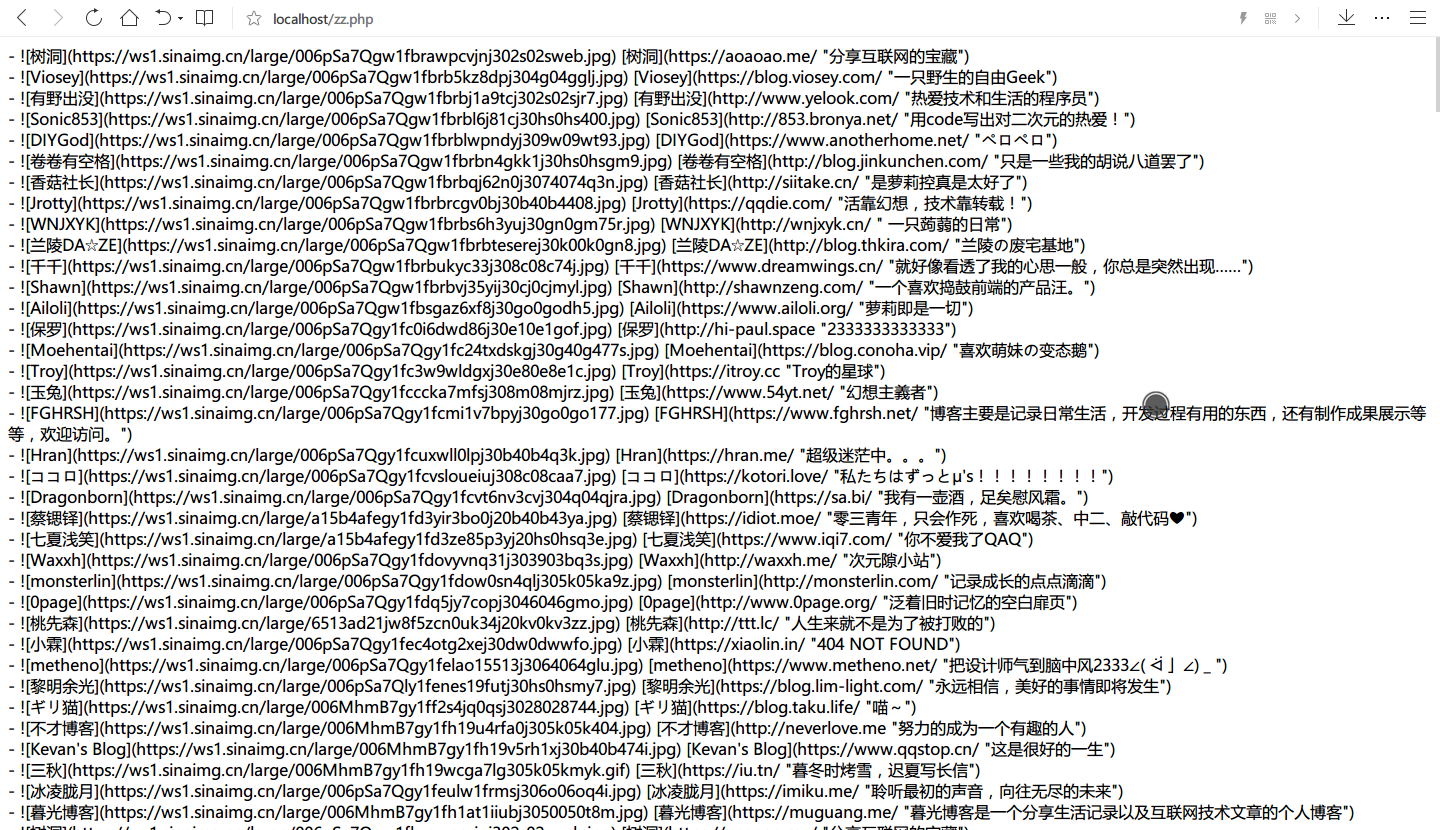
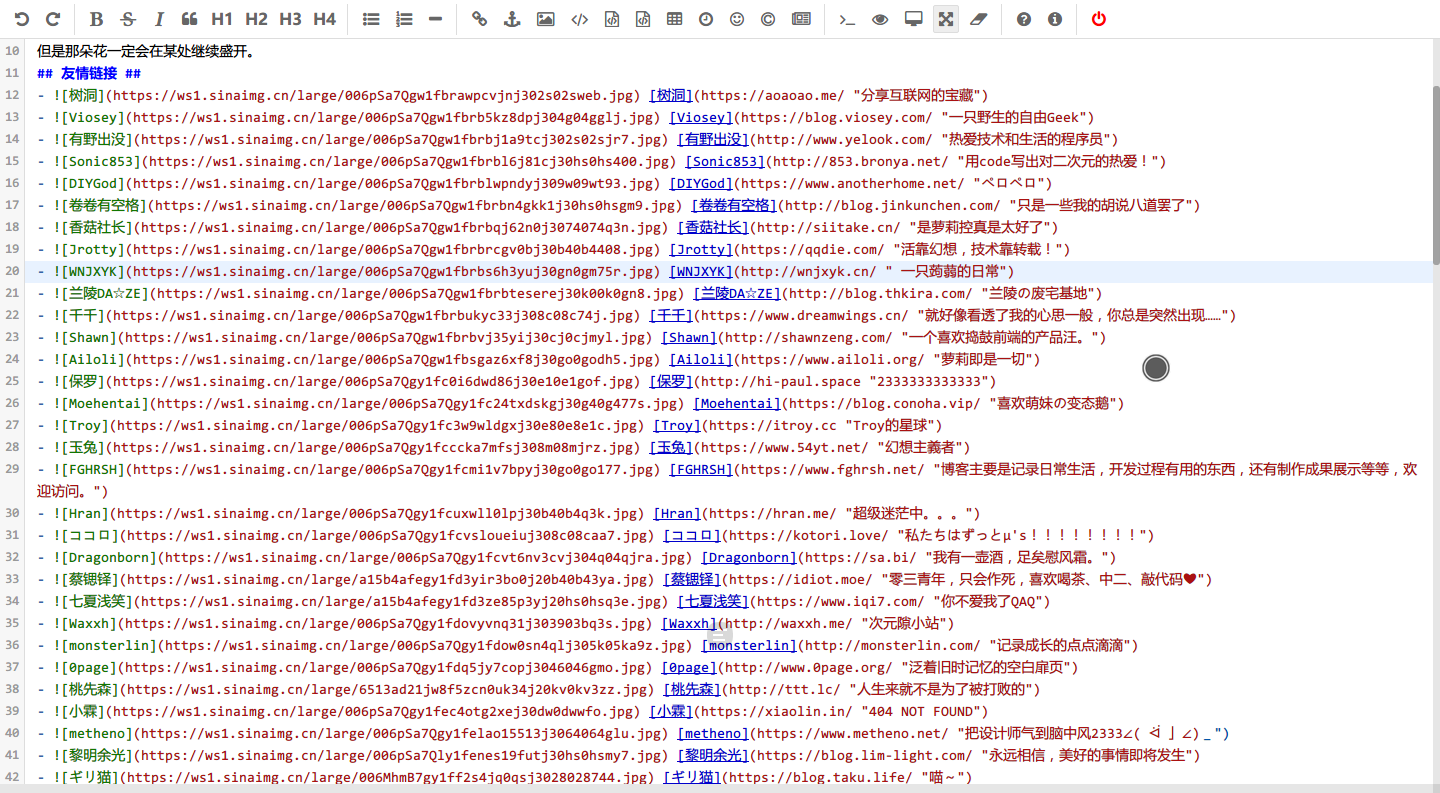 --- src/content/posts/开发/利用 goto 来防止 if 嵌套.md
title: 利用 goto 来防止 if 嵌套 slug: 1280 cover: https://cdn.jsdelivr.net/gh/nexmoe/image@latest/QQ图片20210415151105.jpg pubDate: 2018-11-24T18:04:00

流程控制中的 if 是比较简单的逻辑判断,但是在多条逻辑判断中很容易造成 if 嵌套,逻辑复杂度较高,让人感到十分混乱。
万恶的 if 嵌套
<?php
$a = array(
    'state' => '1',
    'notice' => '注册成功!',
);

if ($_GET['username'] != '') {
    if (strlen($_GET['username']) > 4 or !strlen($_GET['username']) < 11) {
        $name = array('root','admin','GETmaster','master','webmaster','mixcm','administrator','sb','shabi');
        if (!in_array($_GET['username'], $name)) {
            if (preg_match("/^[a-zA-Z\s]+$/", $_GET['username'])) {
                $a['state'] = '0';
                $a['notice'] = '用户名必须为英文!';
            }
        } else {
            $a['state'] = '0';
            $a['notice'] = '非法用户名!';
        }
    } else {
        $a['state'] = '0';
        $a['notice'] = '请输入大于4字符,且小于11个字符的用户名!';
    }

} else {
    $a['state'] = '0';
    $a['notice'] = '用户名不能为空!';
}

echo json_encode($a,JSON_UNESCAPED_UNICODE);
于是在实际操作中就会想方设法避免以上格式。便有了 goto 和 表数据。
- 逻辑清晰
- 后期修改容易
- 但需要防止 goto 滥用,建议只定义一个,列如本例就只定义了 end
利用 goto 解决(以下代码中有使用到表数据)
<?php
$a = array(
    'state' => '1',
    'notice' => '注册成功!',
);

if ($_GET['username'] == '') {
    $a['state'] = '0';
    $a['notice'] = '用户名不能为空!';
    goto end;
}

if (strlen($_GET['username']) < 4 or strlen($_GET['username']) > 11) {
    $a['state'] = '0';
    $a['notice'] = '请输入大于4字符,且小于11个字符的用户名!';
    goto end;
}

$name = array('root','admin','GETmaster','master','webmaster','mixcm','administrator','sb','shabi');
if (in_array($_GET['username'], $name)) {
    $a['state'] = '0';
    $a['notice'] = '非法用户名!';
    goto end;
}

if (!preg_match("/^[a-zA-Z\s]+$/", $_GET['username'])) {
    $a['state'] = '0';
    $a['notice'] = '用户名必须为英文!';
    goto end;
}

end:
echo json_encode($a,JSON_UNESCAPED_UNICODE);
--- src/content/posts/开发/博客,我优化了什么.md
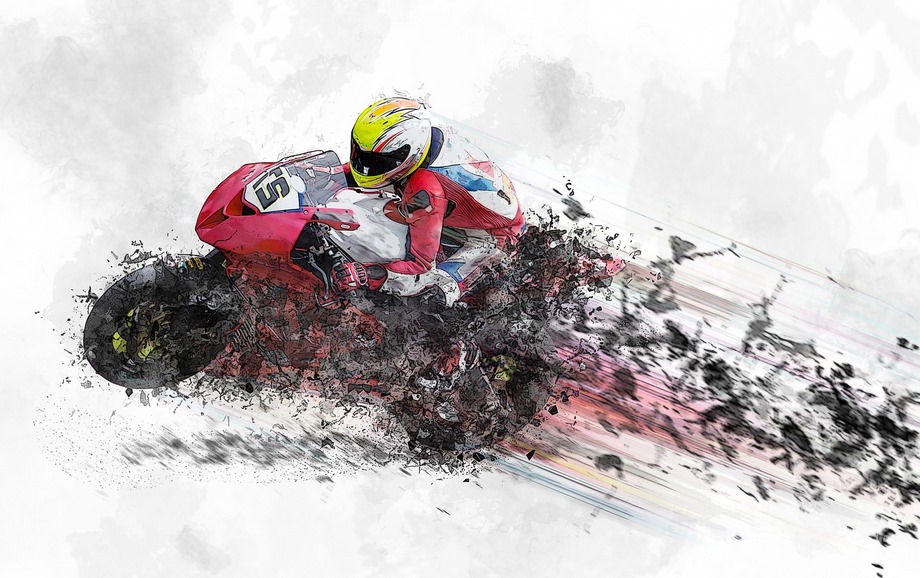
title: 博客,我优化了什么? cover: https://nexmoe.com/images/cover/compress/motorcycle-1690452_1920.jpg coverWidth: 1920 coverHeight: 1206 tags:
- Hexo
- 博客
- 主题 slug: 661812793 pubDate: 2020-02-09T16:10:00
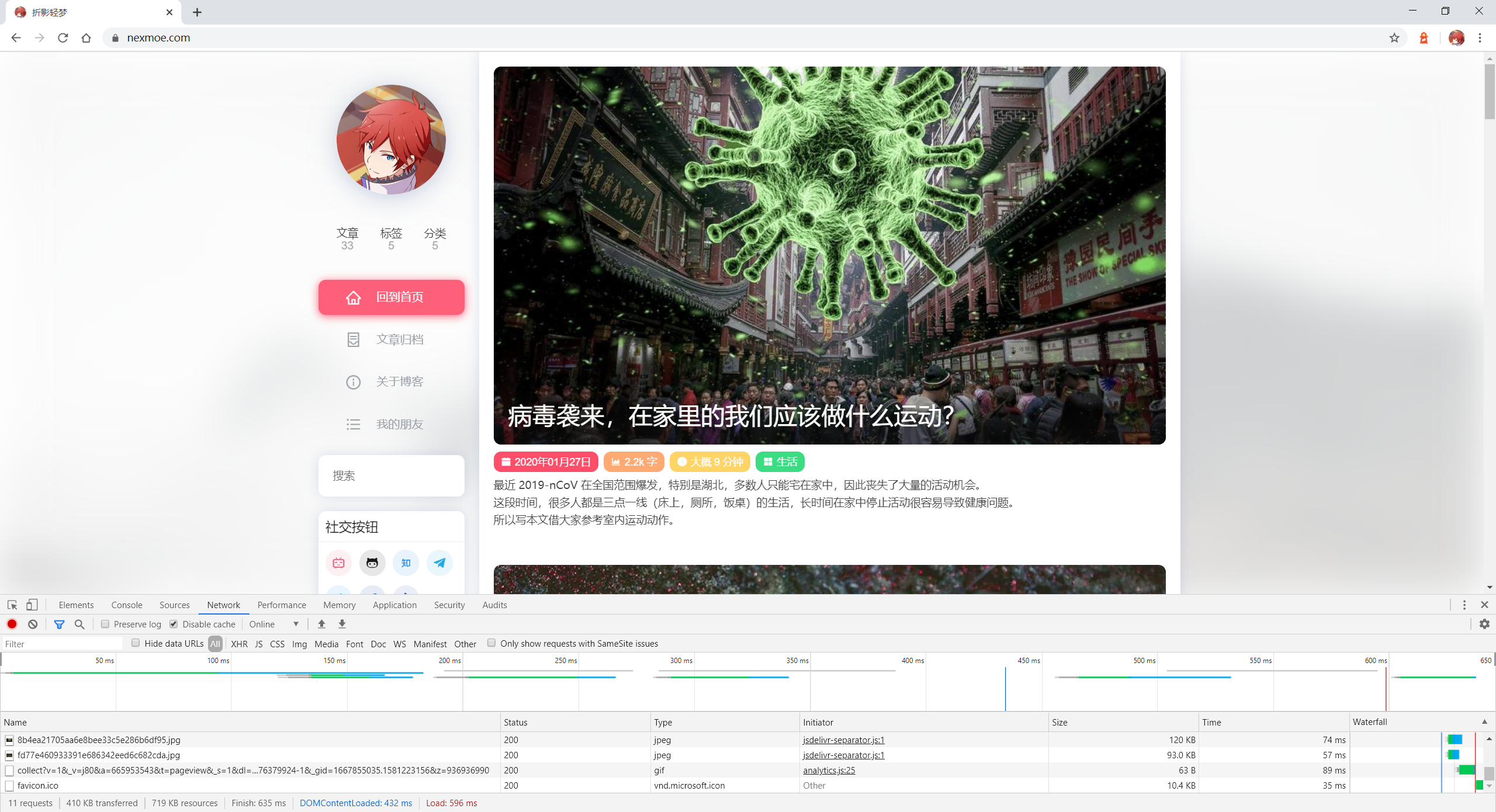
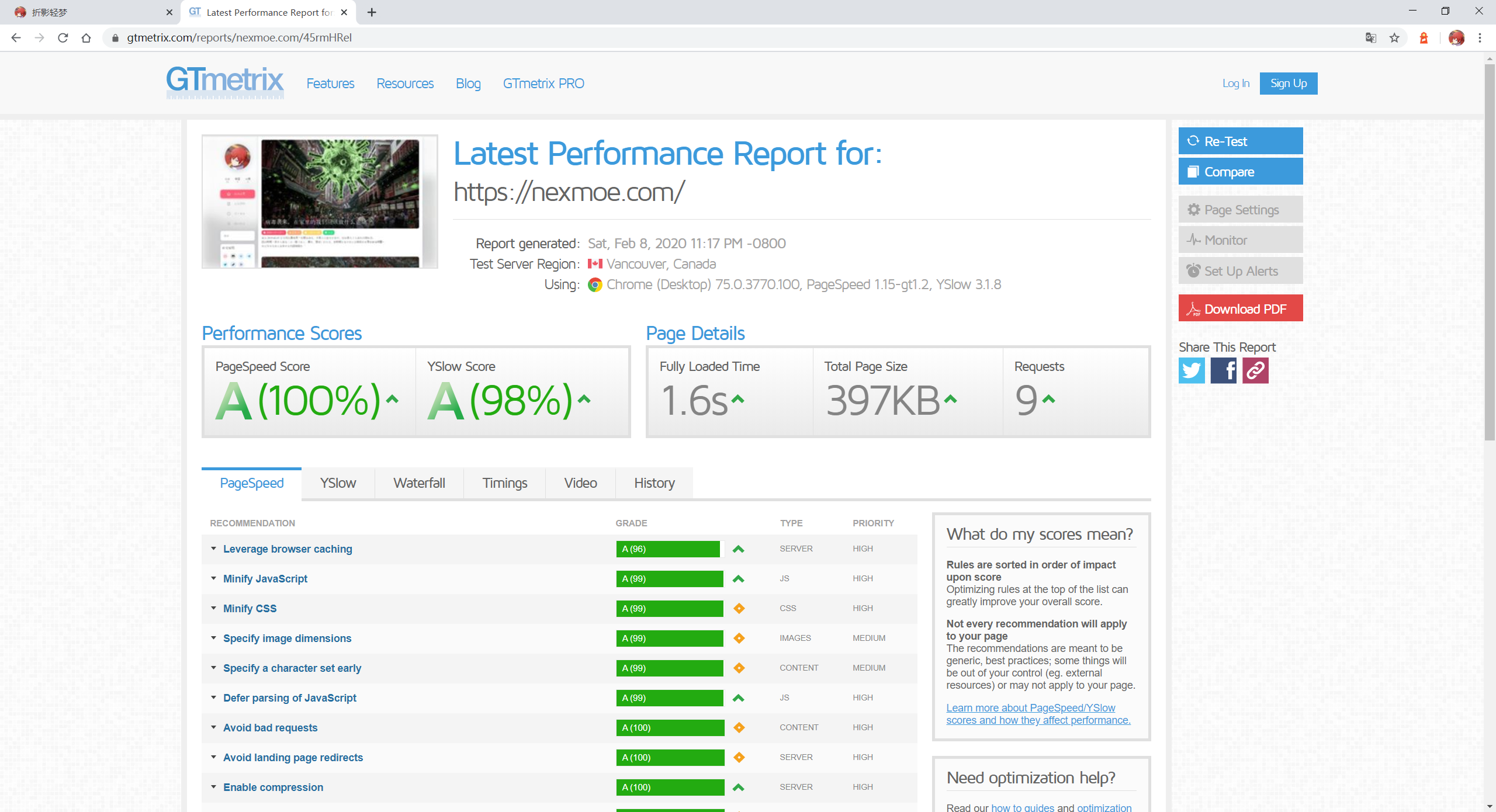
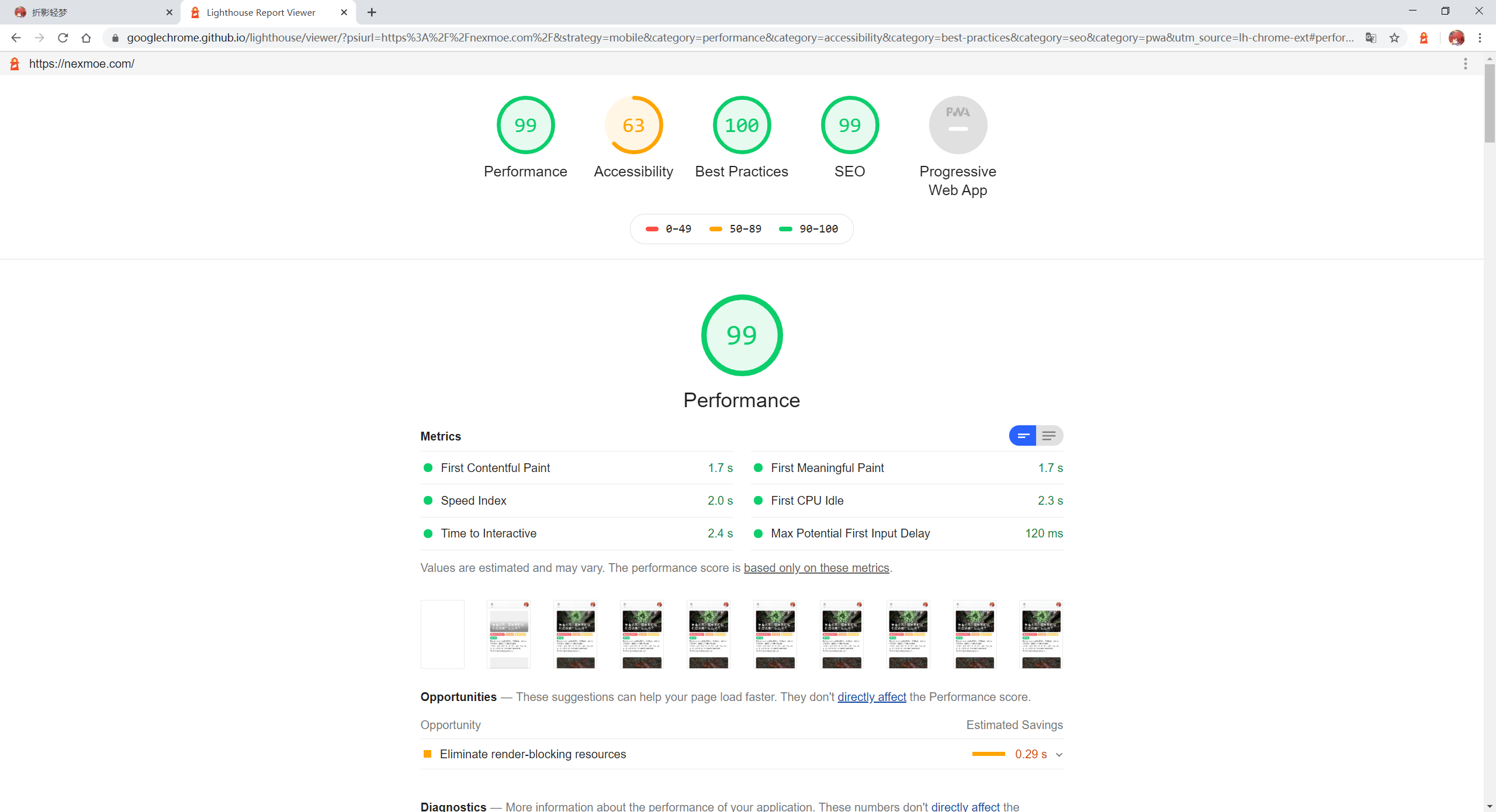
由于博客性能一直很弱鸡,所以花了两天时间优化了一下,以下,是我的优化成果。
先上跑分
去掉一些依赖
❌ 移除 fancybox ❌ 移除 SmoothScroll ❌ 移除 jQuery ❌ 移除 Pjax 已经 2020 年,我觉得 jQuery 是不需要的。 Edge 的正式发布自带良好的平滑滚动效果,加上 SmoothScroll 在 MacOS 上会有卡顿感,所以移除。 移除 fancybox 是因为平常真的不怎么用,还是直接鼠标右键打开原图看舒服。
Lazyload 优化
在此之前,我的博客首页一直有一个问题,图片加载抖动,所以我直接让文章每一个图片输入图片的长度和高度来计算图片占位大小来防止抖动。 不过确实麻烦了点。 此前的 Front-matter
---
title: 博客,我优化了什么?
cover: https://nexmoe.com/images/cover/compress/motorcycle-1690452_1920.jpg
---
现在的 Front-matter
---
title: 博客,我优化了什么?
cover: https://nexmoe.com/images/cover/compress/motorcycle-1690452_1920.jpg
coverWidth: 1920
coverHeight: 1206
---
并且对 Lazyload 加了一个非线性动画,给人一种更快乐的感觉。
资源合并
这个操作就很方便了,因为 jsdelivr 自带了合并功能,可以自由的合并多个库 比如 https://cdn.jsdelivr.net/combine/npm/highlight.js@9.15.8/styles/atom-one-dark.css,gh/nexmoe/nexmoe.github.io@latest/css/style.css,gh/nexmoe/nexmoe.github.io@latest/lib/mdui_043tiny/css/mdui.css,gh/nexmoe/nexmoe.github.io@latest/lib/iconfont/iconfont.css 所以我把博客所有的 css 和 js 文件分别合并成了一个,因此浏览器请求量减小,所以速度也有些许提升。
图片压缩
我的首页图就是看个爽,为什么要原图且无损? 所以我统一将图片全部压成 920px 的宽度了,大量减小图片大小。速度暴涨。
依赖库简化
由于主题依赖了 mdui,而 mdui 会加载字体,所以我把它本地化,然后删掉了颜色类,辅助类,以及字体类。 速度也有些许提升。
部分 js 用 nodejs 重写
以前启用 lazyload 和一些功能,我是用 js 写的,所以在网页渲染的时候需要重新渲染,所以需要占用一定的性能。 所以我就将一部分使用 nodejs 重写,Hexo 会在编译的时候完成工作,因此在浏览器访问时就不需要渲染了。 --- src/content/posts/开发/开源程序:觅思树洞.md
title: 开源程序:觅思树洞 author: 折影轻梦 slug: 872 cover: https://nexmoe.com/images/开源程序:觅思树洞/59d83a91726aa (1).png tags:
- PHP pubDate: 2017-10-06T22:10:00
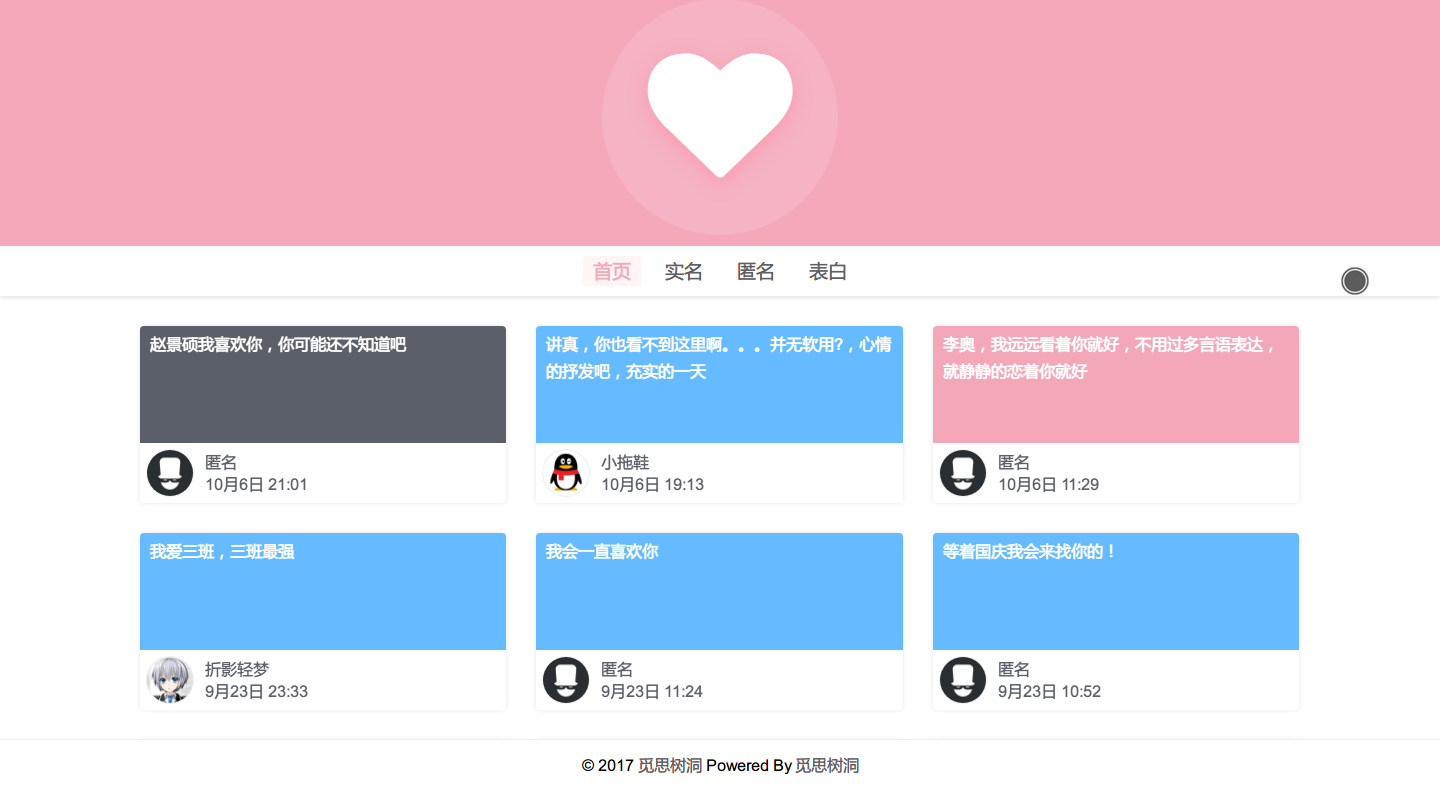
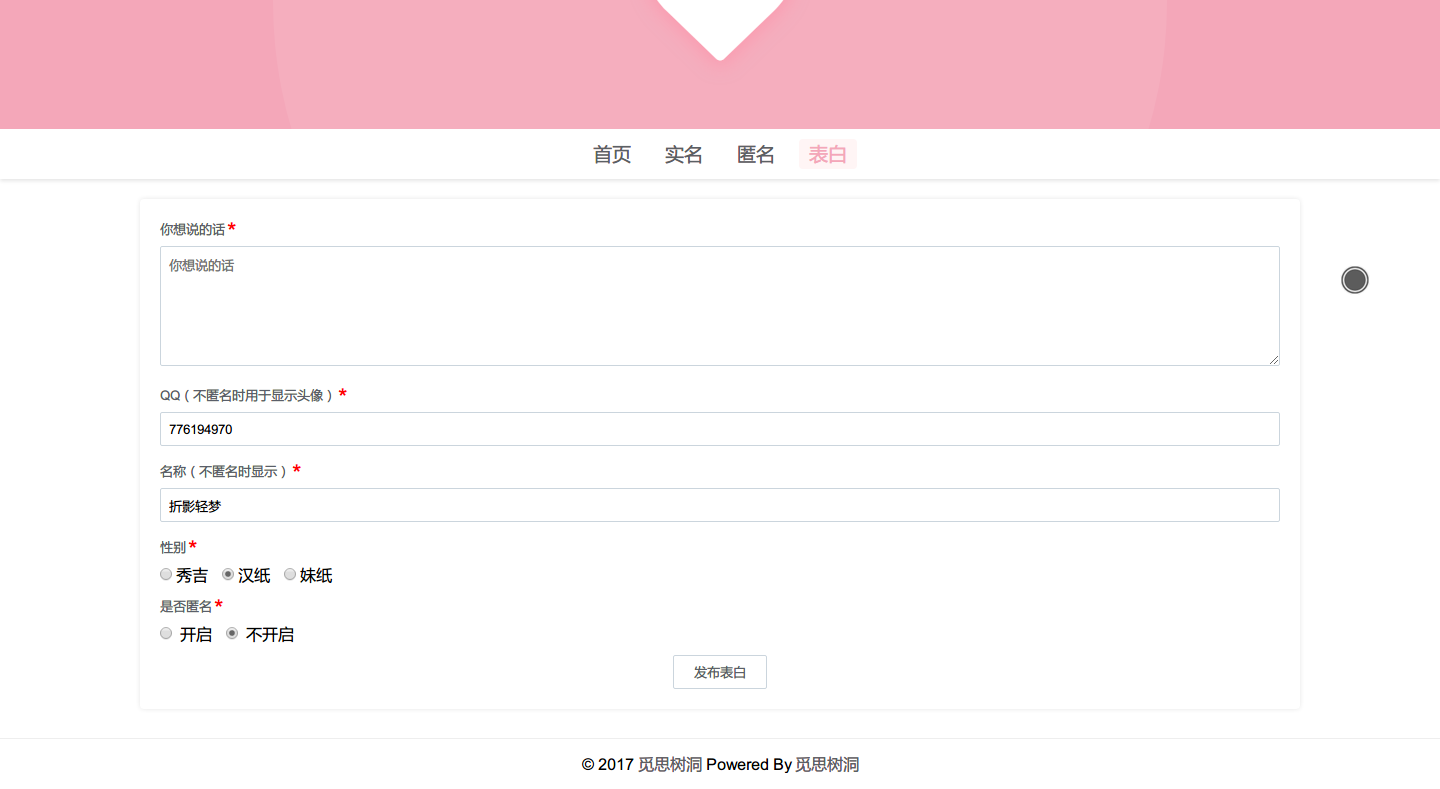
觅思树洞,一个我一下午的作品。
版权 MIT
只需要留作者版权就行了。 感谢版权狗,作者已停更。
相关链接
Github: https://github.com/mixcm/lovewall/releases
展示图
首页
提交表单
伪静态
Apache
<IfModule mod_rewrite.c>
RewriteEngine On
RewriteBase /
RewriteRule ^mous/page/(.*)$ /index.php?mous=&page=$1
RewriteRule ^mous/(.*)/page/(.*)$ /index.php?mous=$1&page=$2
RewriteRule ^mous/(.*)$ /index.php?mous=$1&page=1
RewriteRule ^pages/(.*)$ /index.php?pages=$1
</IfModule>
Nginx
rewrite ^/mous/page/(.*)$ /index.php?mous=&page=$1;
rewrite ^/mous/(.*)/page/(.*)$ /index.php?mous=$1&page=$2;
rewrite ^/mous/(.*)$ /index.php?mous=$1&page=1;
rewrite ^/pages/(.*)$ /index.php?pages=$1;
数据库说明
导入数据库
先将根目录内的 options.sql 和 contents.sql 导入数据库
连接数据库
在 /require/function.php 第三行 更改为自己的数据库信息
'mysql'=>'localhost',	//数据库地址
'name'=>'root',		//数据库登录名
'password'=>'',		//数据库密码
'dbname'=>'lovewall'	//数据库名
网站信息更改
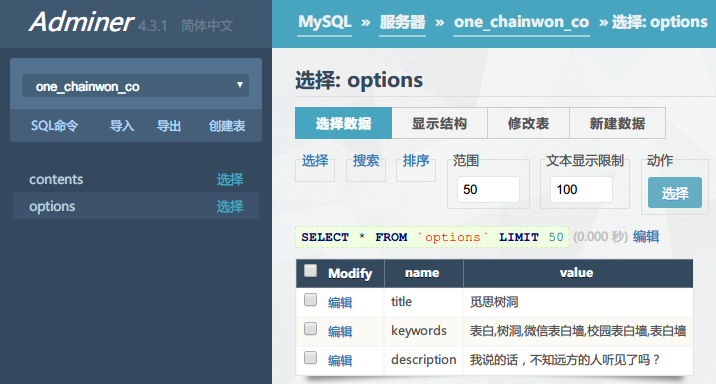
在数据库中的表 options 中可以对对应项进行更改。
 --- src/content/posts/开发/美化你的终端.md
title: 美化你的终端 cover: https://nexmoe.com/images/cover/compress/pasted-12.png coverWidth: 1370 coverHeight: 942 slug: 1519803391 pubDate: 2019-08-09T18:49:03
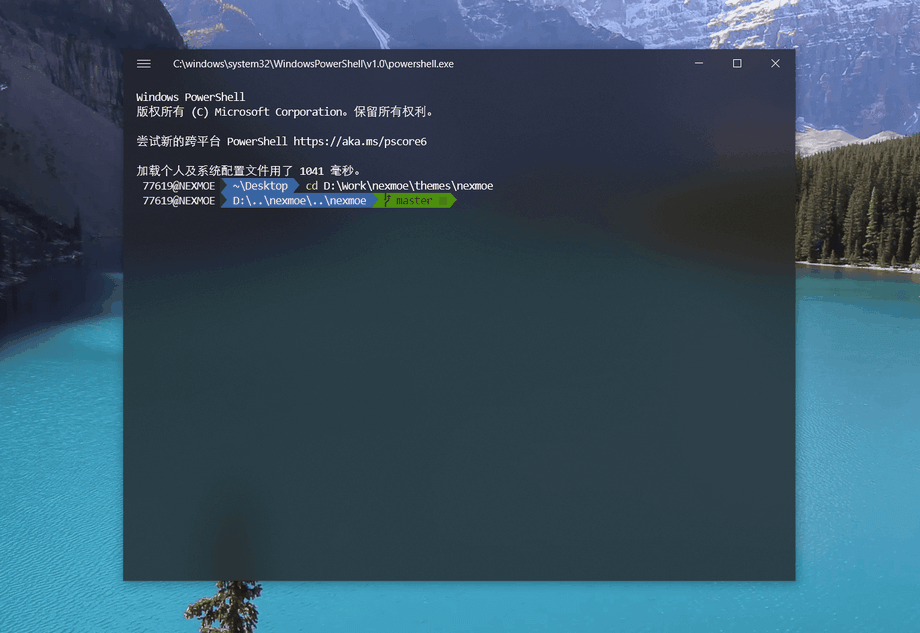
自带的 PowerShell 虽然有了自定义颜色等功能,但还是太丑,这一篇文章将帮你打造 Windows10 上最美终端。
安装 Fluent Terminal 建议使用 Terminus
Fluent Terminal 是一个基于 UWP 和 Web 技术的终端,相比较 Terminus,占用资源更少,而且有中文翻译,并且设置页还有 GUI。
在以下链接下载最新版 https://github.com/felixse/FluentTerminal/releases
解压到任意位置,打开目录,右键 Install.ps1 使用 PowerShell 运行,选择 Sideloading(旁加载应用)安装
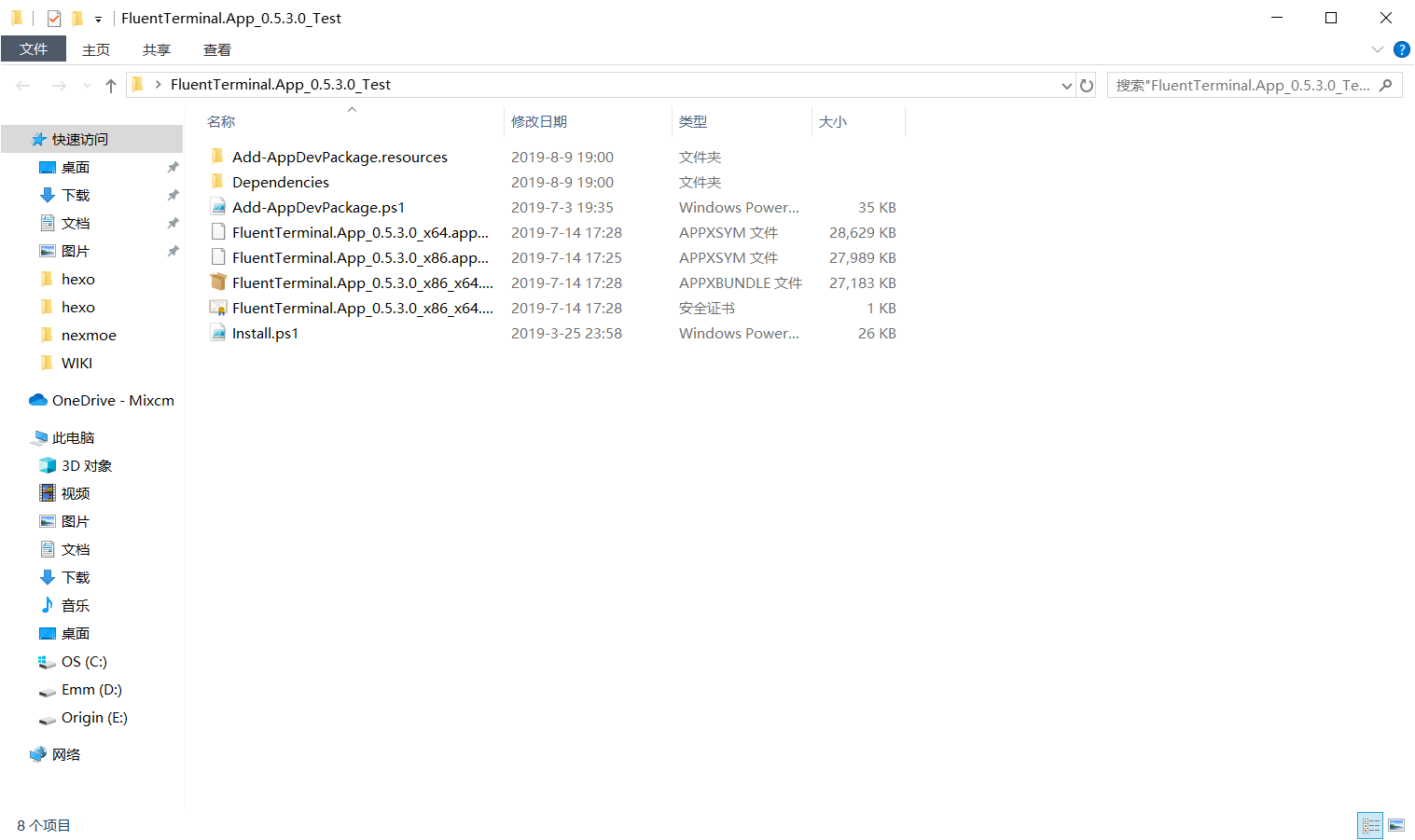
安装完成
安装 Terminus
https://eugeny.github.io/terminus/
安装 oh-my-posh 与 posh-git
posh-git:此模块用于将 git 集成于 PowerShell 中 oh-my-posh:本次美化主角,带色的箭头标签
Set-ExecutionPolicy Bypass
Install-Module posh-git -Scope CurrentUser
Install-Module oh-my-posh -Scope CurrentUser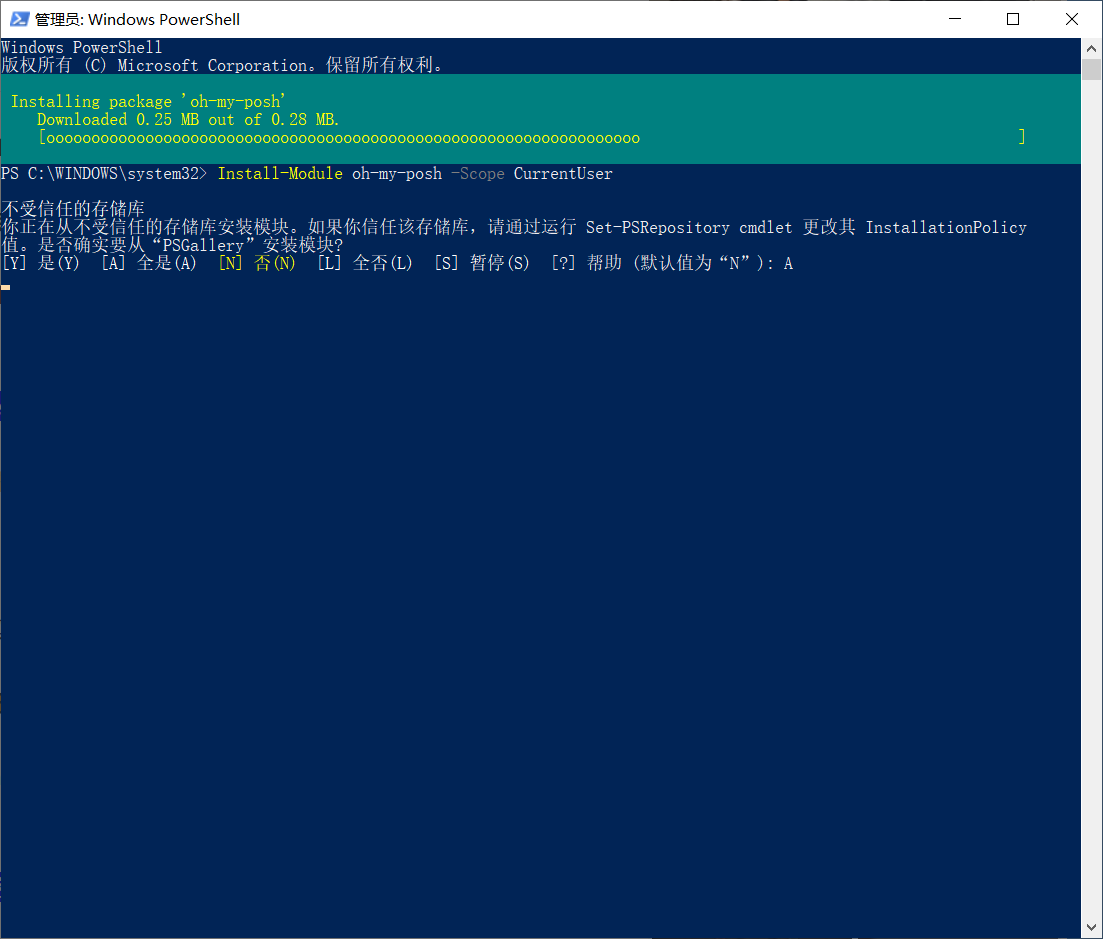
启用 oh-my-posh 与 posh-git
Import-Module posh-git
Import-Module oh-my-posh
设置主题
Set-Theme Agnoster可选列表
- Agnoster
- Avit
- Darkblood
- Fish
- Honukai
- Paradox
- PowerLine
- robbyrussell
- Sorin
- tehrob
输入获取配置项目录
$profile
打开控制台输出目录中的文件,输入配置项并保存
Import-Module oh-my-posh
Set-Theme Agnoster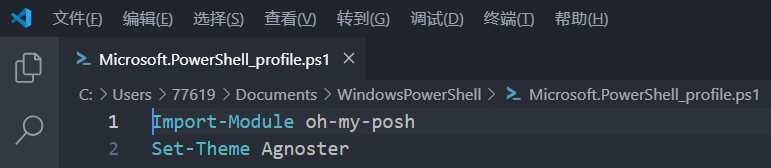
打开 Fluent Terminal 查看效果