
Convert Animated PNG (APNG) to GIF and Loop Forever
Today I found some PNG-format animated stickers online I won’t tell you I stole them from LINE, and learned they’re APNGs. Since WeChat and QQ don’t support APNG, I converted them to GIF. After conversion, I found they only loop once in WeChat, which led to the question of how to batch‑modify GIF loop counts.
So here’s a brief intro to APNG. I also share an online tool that can batch convert APNG to GIF, but it can’t make them loop forever. Finally, I share two ways to batch-edit GIF loop counts: Node.js and a Windows batch script, so both Node developers and regular Windows users can handle this in bulk.
What is APNG?
APNG (Animated Portable Network Graphics) is a bitmap animation extension for PNG, enabling animated images. Compared with GIF, APNG has better quality and detail. As more browsers support APNG, it may become a next‑generation animated image standard. Key differences:
-
Image quality: GIF supports at most 256 colors and doesn’t support alpha transparency, so it looks worse for colorful or semi‑transparent images. APNG supports more colors and alpha transparency, giving smoother animations.
-
Compatibility: Both APNG and GIF are frame‑based, but APNG is backward compatible. The first frame is a standard PNG. Even if a browser can’t read the animation data, it can still display the first frame. If it does support APNG, it plays the rest of the frames.
-
Browser support: Since Chrome 59, Chrome supports APNG, so most browsers can display APNG animations. IE does not support APNG.
More details: https://xtaolink.cn/268.html
Batch convert APNG to GIF
This tool can batch convert APNG to GIF, but it can’t make them loop forever.
https://cdkm.com/cn/png-to-gif
Batch edit GIFs to loop forever
bat (recommended for regular users)
Below is a batch script (.bat) that does the same thing:
@echo off
setlocal enabledelayedexpansion

set "directoryPath=C:\path\to\directory"

for /r "%directoryPath%" %%f in (*.gif) do (
    echo Modifying %%~nxf
    call :modifyGif "%%f"
)

exit /b

:modifyGif
set "filePath=%~1"

set /p data=<"%filePath%"
set "index=!data:~0,16!"
set "modifiedData=!data:~0,16!!data:~16,1!!data:~17,1!!data:~19!"

echo.!modifiedData!>"%filePath%"

exit /b
Replace C:\path\to\directory with the actual path. Save the script as a .bat file and double‑click to run. The script will iterate over all .gif files in the directory and modify them.
Note: batch scripts are limited and can’t read binary files directly. This script simulates reading by taking the first line. When modifying, it writes the modified data directly without binary operations. This may not work for all cases, and large files may have performance issues. For more complex binary processing, consider other languages or tools.
Node (the method Nexmoe used)
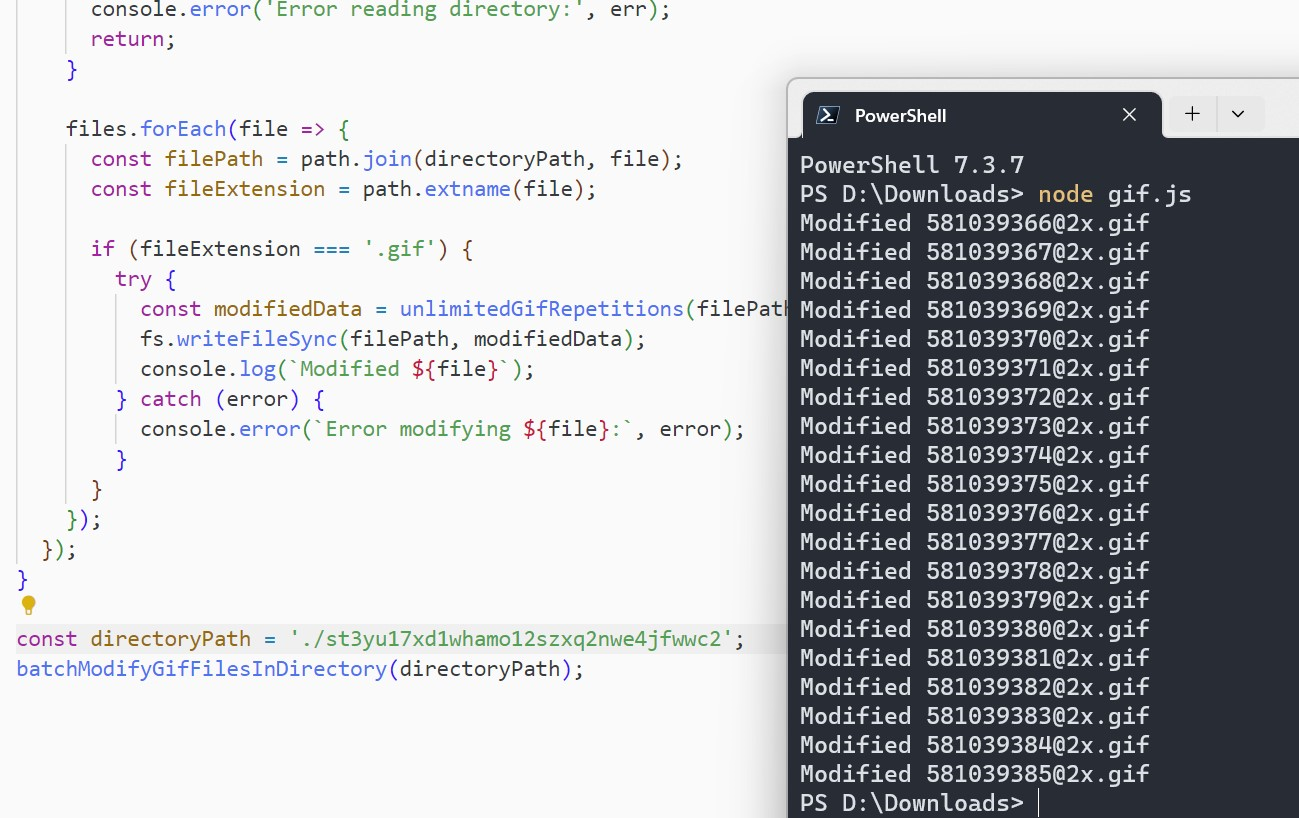
const fs = require('fs');
const path = require('path');

function unlimitedGifRepetitions(path) {
  const data = fs.readFileSync(path);

  const index = data.indexOf(Buffer.from([0x21, 0xFF, 0x0B]));
  if (index < 0) {
    throw new Error(`Cannot find Gif Application Extension in ${path}`);
  }

  data[index + 16] = 255;
  data[index + 17] = 255;

  return data;
}

function batchModifyGifFilesInDirectory(directoryPath) {
  fs.readdir(directoryPath, (err, files) => {
    if (err) {
      console.error('Error reading directory:', err);
      return;
    }

    files.forEach(file => {
      const filePath = path.join(directoryPath, file);
      const fileExtension = path.extname(file);

      if (fileExtension === '.gif') {
        try {
          const modifiedData = unlimitedGifRepetitions(filePath);
          fs.writeFileSync(filePath, modifiedData);
          console.log(`Modified ${file}`);
        } catch (error) {
          console.error(`Error modifying ${file}:`, error);
        }
      }
    });
  });
}

const directoryPath = './path/to/directory';
batchModifyGifFilesInDirectory(directoryPath);
Note: this code uses Node.js fs to read and write files. Replace ./path/to/directory with your real path. Ensure Node.js is installed before running.
The script iterates through all files in the directory, calls unlimitedGifRepetitions for each .gif, and writes the modified data back to the original file. The console shows each modified file or errors.
More details: https://www.b612.me/golang/232.html
A better tool
This batch tool can convert multiple APNG files to GIF and then set the output GIFs to loop forever.