
Xuexitong + Anki: Escape Failing Classes Fast
Nexmoe November 26, 2021
This article is an AI translation and may contain semantic inaccuracies.
To avoid failing, I wrote a script that exports assignments and in‑class quizzes from Chaoxing Xuexitong to CSV, so you can import into Anki and repeatedly review your mistakes.
Here’s the tutorial.
1. Download and install Anki
2. Download an Anki multiple‑choice template
Anki 选择题模板(单选 + 多选 + 自定义选项) | Half Stack (zhangsn.me)
Double‑click to import the template.
3. Export Xuexitong assignments and quiz data
-
Install Tampermonkey or ScriptCat.
-
Install the “Chaoxing To Csv” script: https://scriptcat.org/script-show-page/219
-
Open the assignment or quiz page, click “Download question data”.

4. Import data into Anki
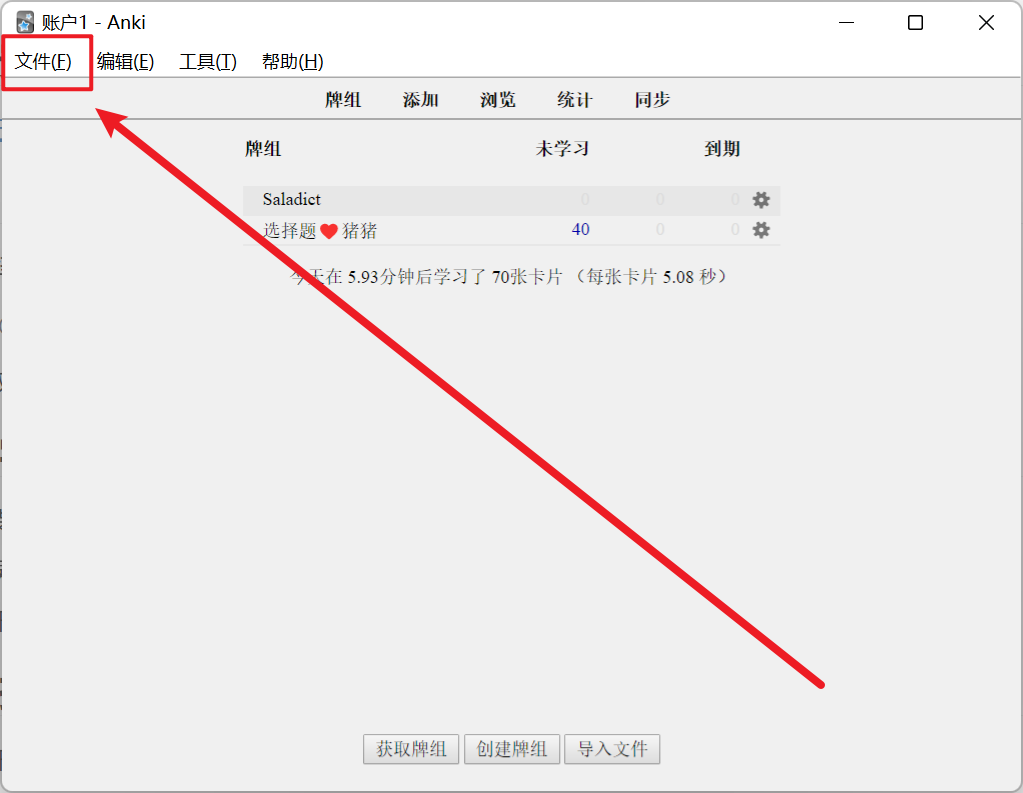
- Open Anki and click “File”.
-
Choose “Import”.
-
Select the file downloaded in step 3.
-
Choose the template as shown.
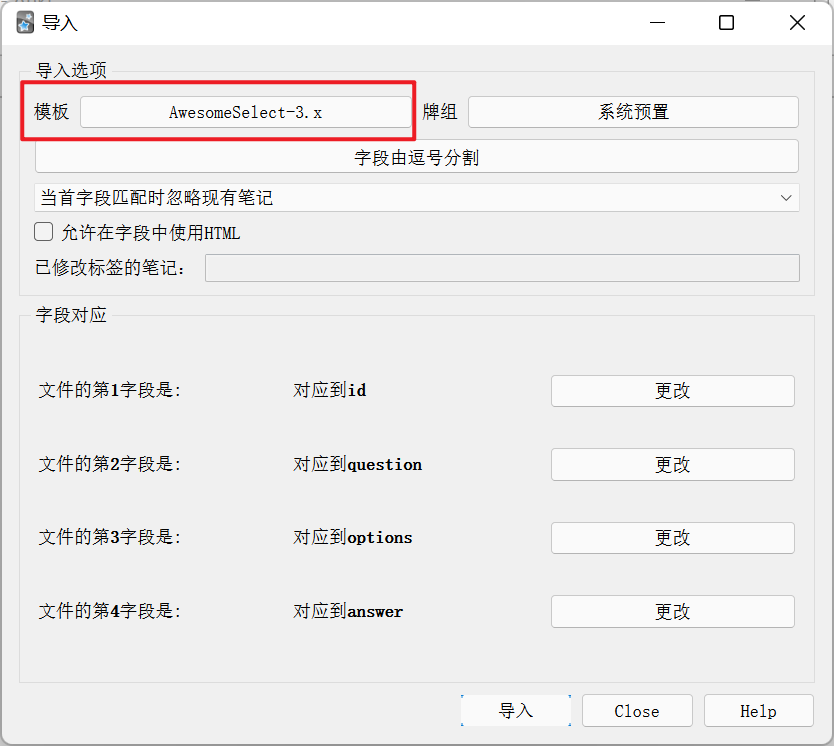
- Click “Import”.