
Why I Built VidBee, an Open-Source Video Downloader
How this started
I started VidBee for a very simple reason. My girlfriend had just begun creating content, and she needed to download source clips every day. yt-dlp is insanely powerful, but she is not technical. Installing software already needed my help, and the command line was out of the question.
We also tried existing tools like ytDownloader and YoutubeDownloader. They looked beginner-friendly at first glance, but in real use they were still confusing. Error messages were vague, and the workflow was not much faster than using a CLI.
Quick start
If you want to try it first, setup takes three steps. Go to https://vidbee.org/download, install the version for your OS, paste a video link, and click download.
If VidBee saves you time, please star the project at https://github.com/nexmoe/VidBee.

What I actually wanted to solve
After that, I wrote down the problems she kept running into. It came down to three things.
- Common platforms should work directly, without jumping between different tools.
- The creators she follows post repeatedly, and manual downloading means checking links every day.
- Downloaded assets should be organized by creator and content type, so editing later does not start with folder chaos.
How VidBee handles this now
The current design of VidBee revolves around those three points. First, make the whole flow work end to end. Then keep adding capabilities.
The first piece is the download flow. You paste a link and VidBee parses it directly, no parameters to memorize. Common formats and resolutions appear first. If something fails, VidBee explains why, so you know what to do next.


The second piece is RSS auto-download. You can subscribe to channels, playlists, or feed sources you follow often. VidBee checks for updates in the background and queues new content automatically. You no longer need to refresh links all day, and you are less likely to miss fresh uploads. For people publishing frequently, this saves real time.

The third piece is file management. VidBee can sort downloads into folders by channel, creator, or task rules. Once downloads finish, the file structure is cleaner, so revisiting history, reorganizing assets, or filling missing clips is much faster. Combined with RSS auto-download, this feels like a continuous backup pipeline. When a channel updates, local archives update too. We will keep improving this part and make organization, search, and batch operations smoother.
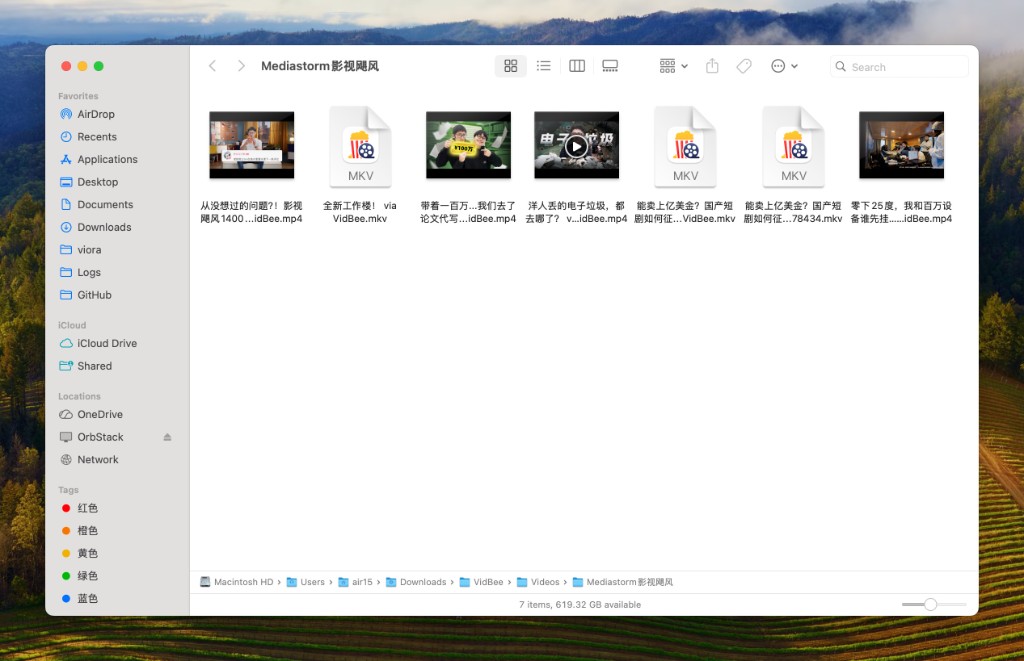
I do not want to build a downloader that looks feature-rich but feels heavy to use. What I care about is that beginners can use it on first launch, and power users keep saving time as usage grows.
People who create content know this feeling. The problem is often not a lack of ideas, but workflow friction. For me, VidBee is about removing as much friction as possible and giving that time back to creation.