
Coolify: Idealism and Realism of Open-Source PaaS
Has your cloud bill made your heart sink again? When Vercel’s Serverless calls exceed expectations, AWS billing feels like a maze, and Heroku ends its free tier, developers start asking: do we really need to hand over all control to cloud vendors?
Coolify offers an interesting answer. This open‑source project tries to bring the convenience of Heroku, Netlify, and Vercel to your own servers, so you can enjoy modern PaaS deployment while keeping full control of infrastructure.
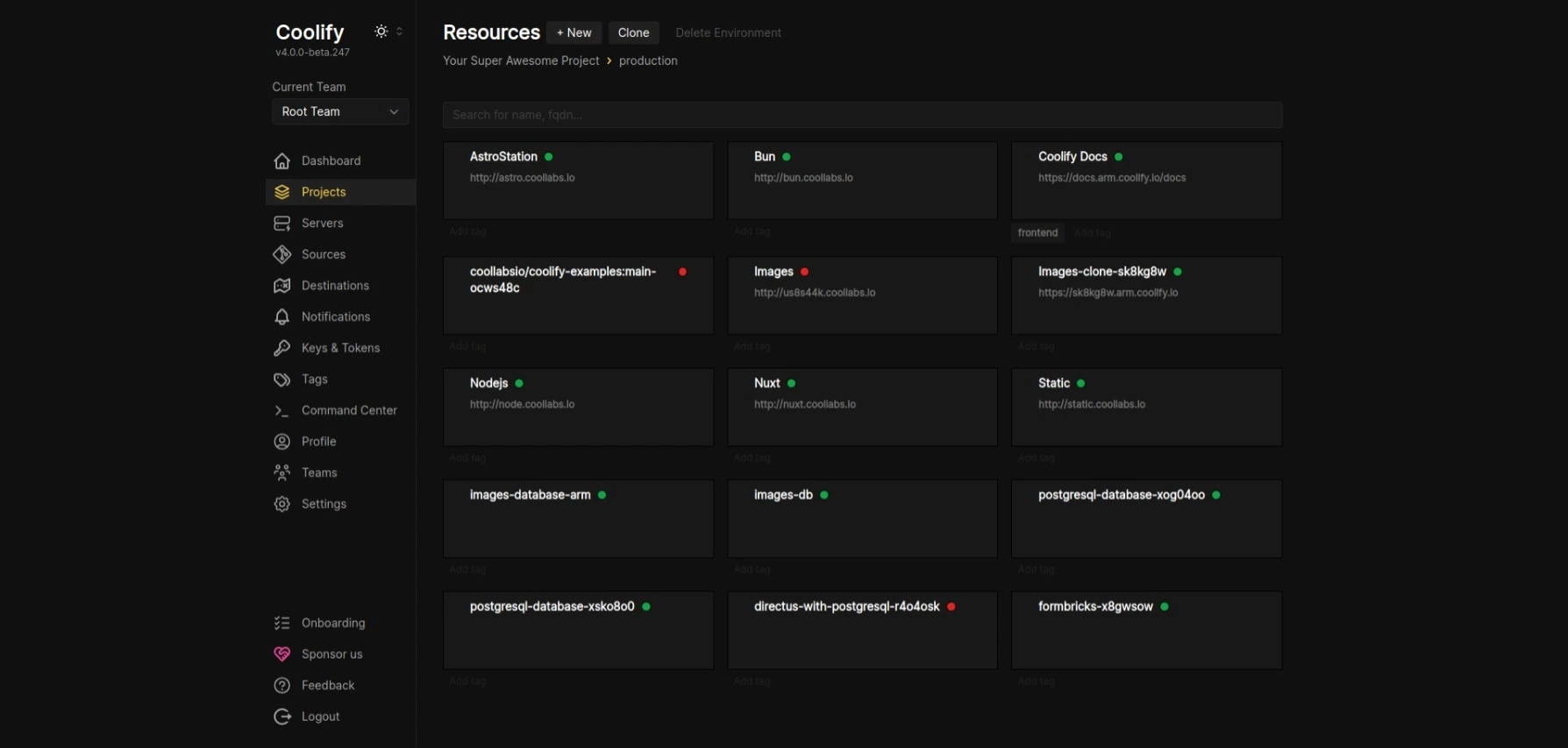
Ten‑Minute Onboarding: From Zero to Deployment
Before diving deeper, let’s look at real usage. Installation is simpler than you expect.
Preparation
You need a server running Ubuntu 22.04+ or Debian 11+, with at least 2GB RAM. If you don’t have one, Hetzner Cloud’s CAX11 instance (~€4.5/mo) is a good choice.
One‑Click Install
SSH into the server and run:
curl -fsSL https://cdn.coollabs.io/coolify/install.sh | bashThe script auto‑configures Docker, firewall rules, and starts Coolify. Usually done in ~5 minutes.
First‑Time Setup
After install, open http://your-server-ip:8000, create an admin account, and follow the guided server connection setup. Coolify uses SSH keys to connect — fully automated.
Deploy Your First App
In the project panel, create a new app and select a Git repo. Coolify supports GitHub, GitLab, Bitbucket, etc. Enter repo URL, choose branch, and deploy.
For frameworks like Next.js, Vue, React, Coolify auto‑detects build settings. No Dockerfile or config required.
Redefining the PaaS Boundary
Traditional cloud platforms charge for convenience and abstraction. You pay to avoid ops complexity. But this model has real problems:
Opaque costs are the biggest pain. AWS billing is so complex you need a cost optimization engineer. Vercel’s Serverless fees can spike under traffic. I’ve seen projects forced to re‑architect due to surprise bills.
Vendor lock‑in is another hidden cost. Once your app integrates proprietary services, migration becomes expensive. This dependence forces developers to consider an “exit strategy” when choosing tech.
Coolify takes a different approach. It combines PaaS convenience with infrastructure transparency, letting developers deploy quickly and keep full control.
The philosophy is worth thinking about: tools should empower people, not replace judgment. Coolify won’t choose your database, limit your resources, or generate hidden fees without your knowledge.
Architectural Elegance
Coolify’s architecture shows a key strength of open source: predictability through transparency.
Docker‑centric abstraction
Every app runs in Docker containers. This ensures consistency and avoids lock‑in. Apps can be migrated to any Docker‑capable environment.
SSH‑based server management
Coolify manages servers via SSH, meaning you can deploy to any machine you can SSH into — VPS, home server, even Raspberry Pi. Infrastructure choice is fully yours.
Declarative config and automated ops
Under the hood it uses Docker Compose, but Coolify adds a higher abstraction layer. You declare desired state; it handles orchestration, networking, storage mounts, etc.
Built‑in monitoring and logs
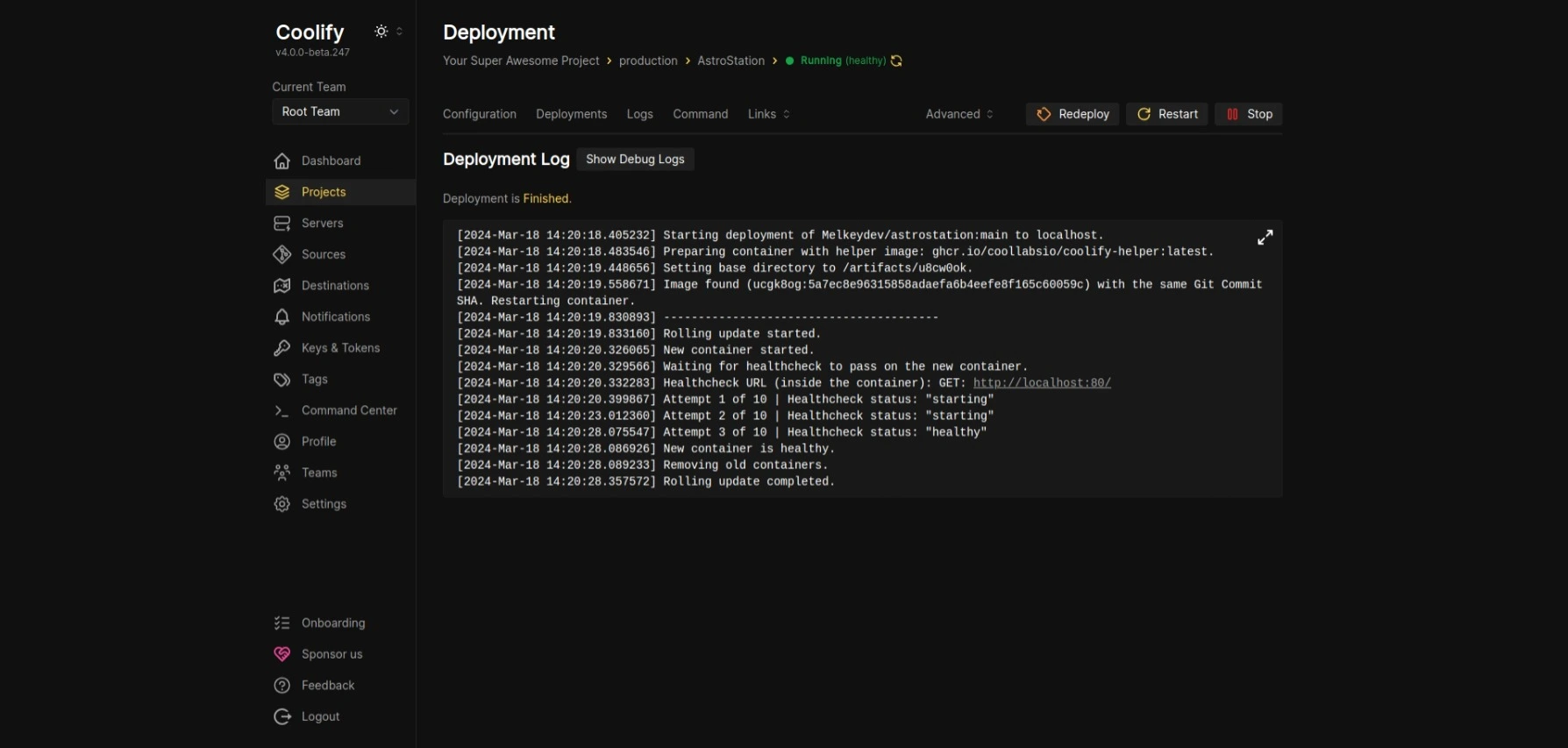
Each deployment includes real‑time logs, resource monitoring, and health checks. These are often paid add‑ons in cloud platforms but standard in Coolify.
Real‑World Experience
Theory needs practice. I’ve used Coolify in production for several projects and gathered real experience.
Clear cost advantage
A mid‑size Next.js app costs about $20–40/mo on Vercel. With a €7.5/mo Hetzner VPS running Coolify, you can host 5–10 similar projects. The gap widens as scale grows.
Deployment speed comparable to PaaS
From Git push to production, Coolify is on par with Netlify and Vercel. For large projects, stronger server configs can even make builds faster.
Stronger monitoring and debugging
Direct server access means better visibility. You can inspect system logs and enter containers for debugging — often restricted on cloud platforms.
Data security and compliance
For data‑localization needs, Coolify is ideal. All data stays on servers you control, avoiding third‑party policies.
Self‑hosting does mean more ops responsibility: server maintenance, security updates, backups. But for developers with some ops skills, the regained control is worth it.

The Power of Open Source Ecosystems
Coolify’s growth is impressive: 35k+ GitHub stars, active discussions, frequent releases. It shows how alive open source is in infrastructure tooling.
The roadmap is fully public, and feature requests/bugs can be tracked in GitHub Issues. That transparency lets users participate in the product’s evolution rather than passively accepting vendor decisions.
More importantly, open source means customization. Need a special deploy flow? Modify the code. Need a monitoring integration? Submit a PR. This flexibility is impossible in closed‑source cloud platforms.
Rethinking Tech Choices
Coolify forces a reconsideration: in pursuit of convenience, have we over‑relied on external services?
Modern development often outsources complexity to cloud providers. Early on, this accelerates delivery, but as projects mature, dependence costs grow.
Coolify offers a middle path: not back to manual ops, not full reliance on black‑box cloud services. It lets developers find the right balance between convenience and control, depending on project stage.
For personal projects and small teams, Coolify is nearly perfect: low cost, high control, full feature set. A strong competitor to traditional cloud platforms.
For large enterprises, it’s at least a valuable reference: the core of PaaS is not proprietary tech but abstraction of complexity — which can be achieved in open source without sacrificing transparency.
Tech choices are always trade‑offs. Coolify’s value is that it offers a new option worth serious consideration.