
Dokploy: A Simplified Open-Source PaaS Platform
In today’s software world, we have powerful tools, yet deployment and maintenance haven’t become much easier. From server setup to database management to CI/CD pipelines, every step can consume time. For developers who want focus and efficiency, the ideal is simple: commit code and let the rest deploy automatically and reliably. That’s the context where Dokploy, an open‑source PaaS solution, comes in.
Quick Start
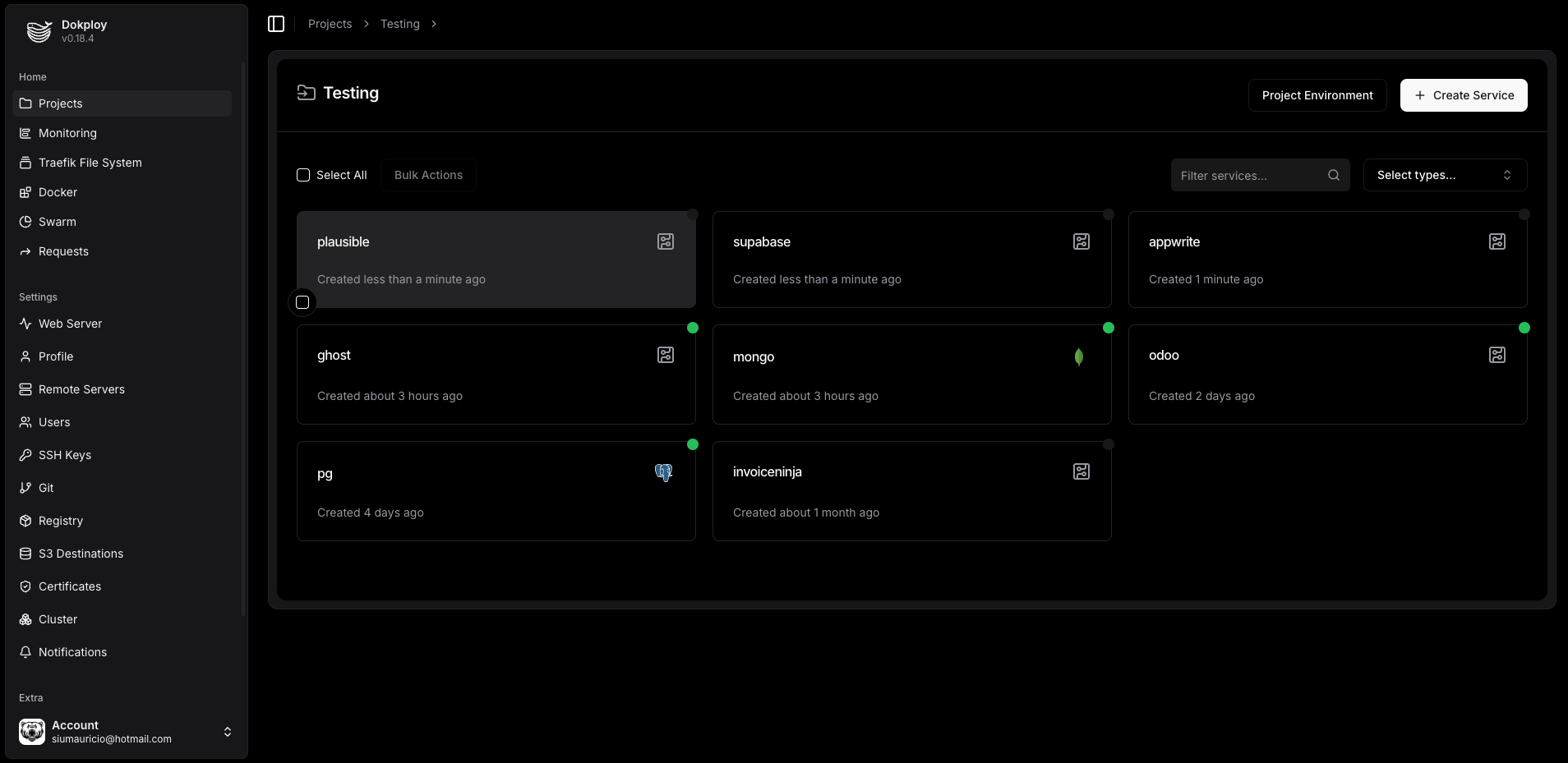
Dokploy is extremely simple to deploy. Prepare a VPS (recommended: 2GB RAM, 30GB storage), then run one command:
curl -sSL https://dokploy.com/install.sh | shThe install script configures Docker automatically. After that, open http://your-server-ip:3000, create an admin account, and you’re ready. Usually done in 5 minutes with no extra setup.
Smooth Deployment & Management
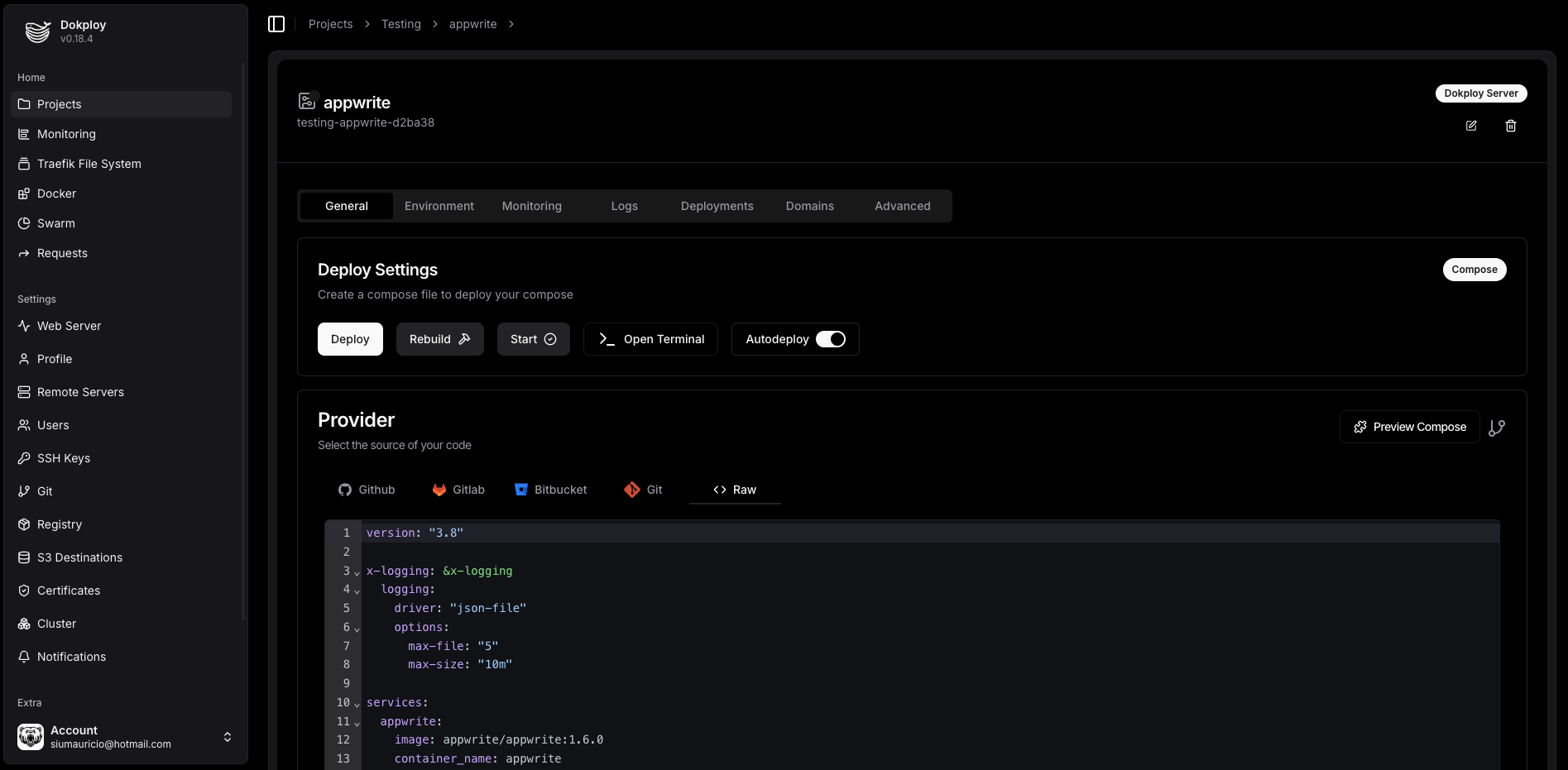
Dokploy provides a flexible deployment workflow. It integrates directly with GitHub, triggering builds and deployments on code push, forming a full CI/CD loop. For builds, it supports automatic detection via Nixpacks, Heroku Buildpacks, and more, while still allowing custom Dockerfiles for precise control.
It also supports Docker Compose natively — a big win for complex apps with multiple services. You can almost seamlessly move your local docker-compose.yml into production, reducing environment mismatch risk.
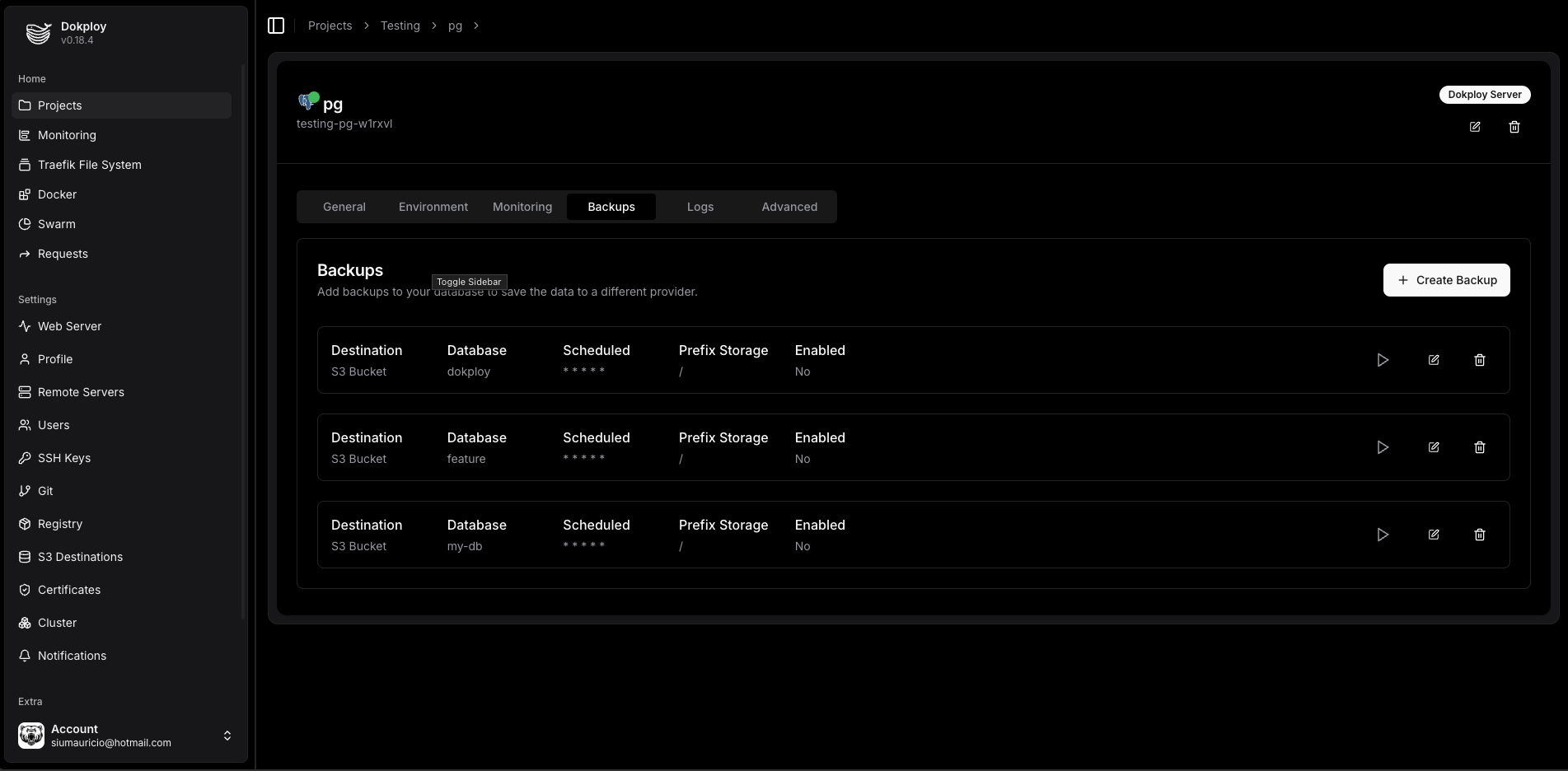
Beyond app deployment, Dokploy integrates database and service management into one dashboard. It supports one‑click deployments of MySQL, PostgreSQL, MongoDB, Redis, and more, plus automated scheduled backups and restores. Developers no longer need to write backup scripts or worry about data loss — it becomes configuration.
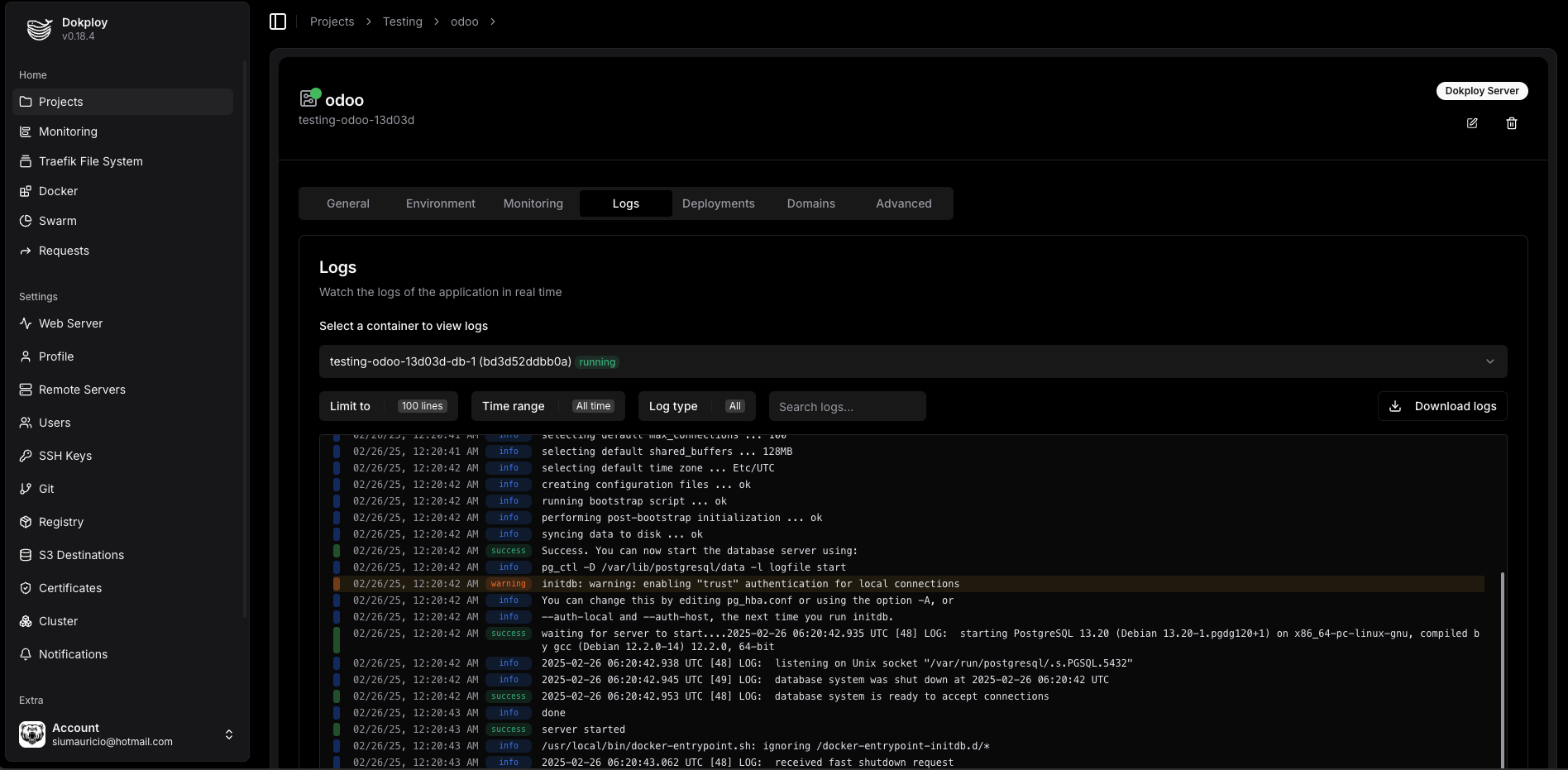
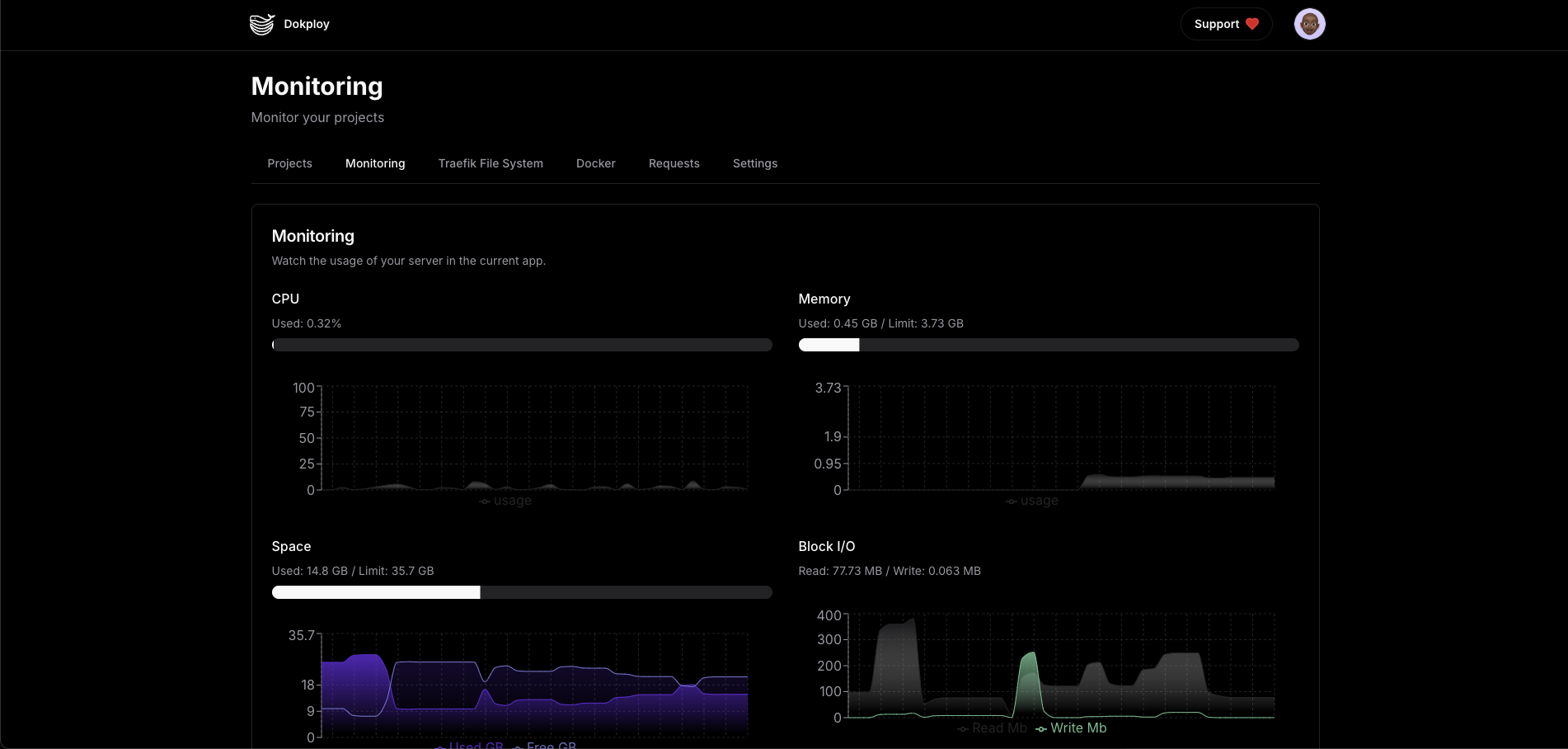
For every running app or service, Dokploy provides real‑time logs, resource monitoring (CPU, memory, disk, network), and direct terminal access into containers — making troubleshooting and ops much easier.
Back to Creation Itself
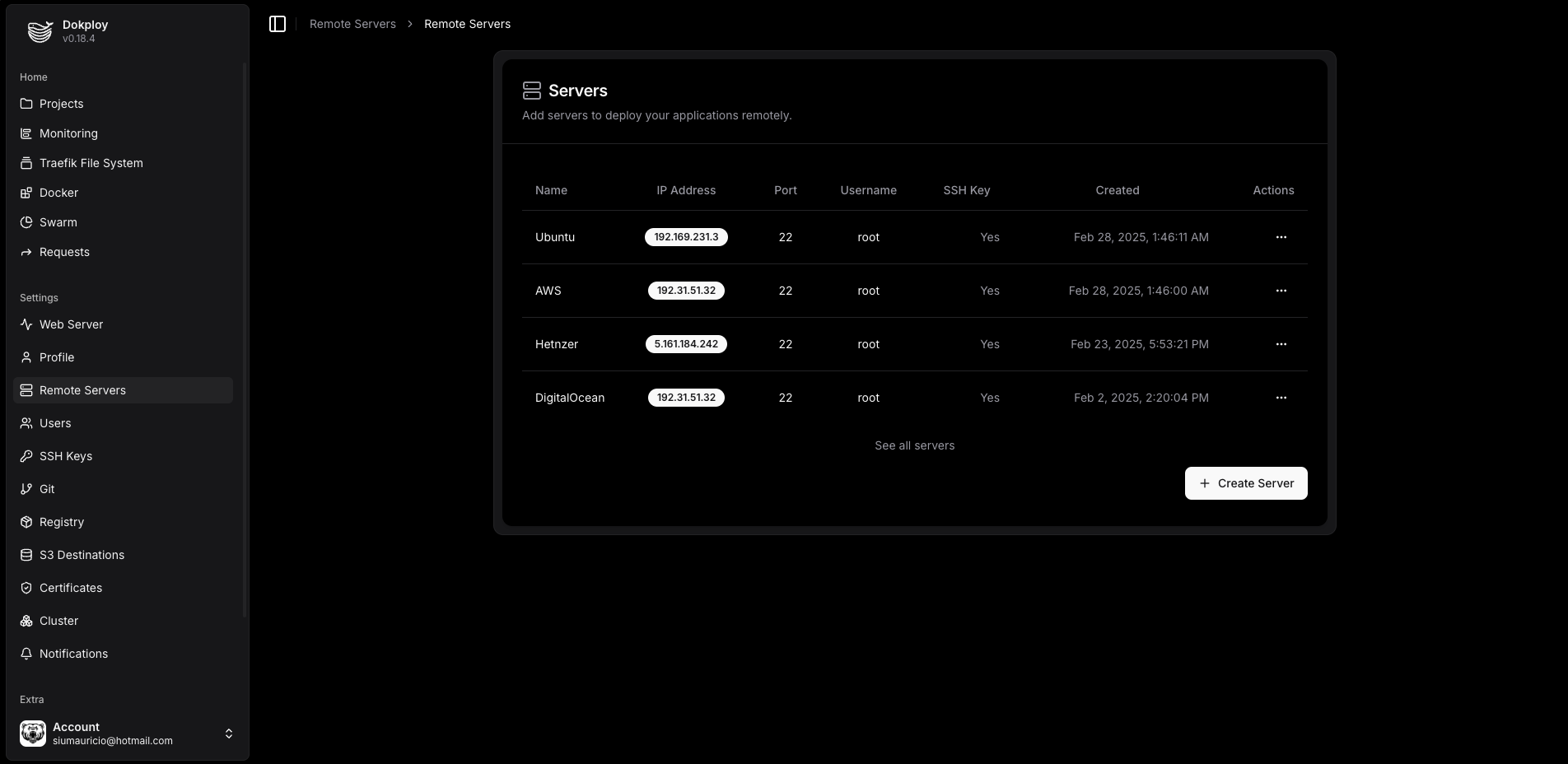
Dokploy emphasizes developer autonomy and fully embraces open source and self‑hosting. You gain full control over infrastructure with zero vendor lock‑in. You can modify and extend the platform to fit specific needs. It also supports multi‑server deployment and Docker Swarm clusters, enabling horizontal scaling as projects grow.
In my view, Dokploy’s value is its precise positioning: a “just right” solution for developers who don’t want to manage raw docker-compose but find Kubernetes too heavy. It doesn’t try to be a giant platform; it focuses on the core pain point — deployment — and makes it extremely simple.
Simplicity Under the Hood
Dokploy’s core philosophy is seamless deployment, balancing powerful features with simple operation. Compared with complex enterprise PaaS or deep‑customized Kubernetes, Dokploy offers an intuitive UI and CLI that let developers deploy apps to any server in a few steps.
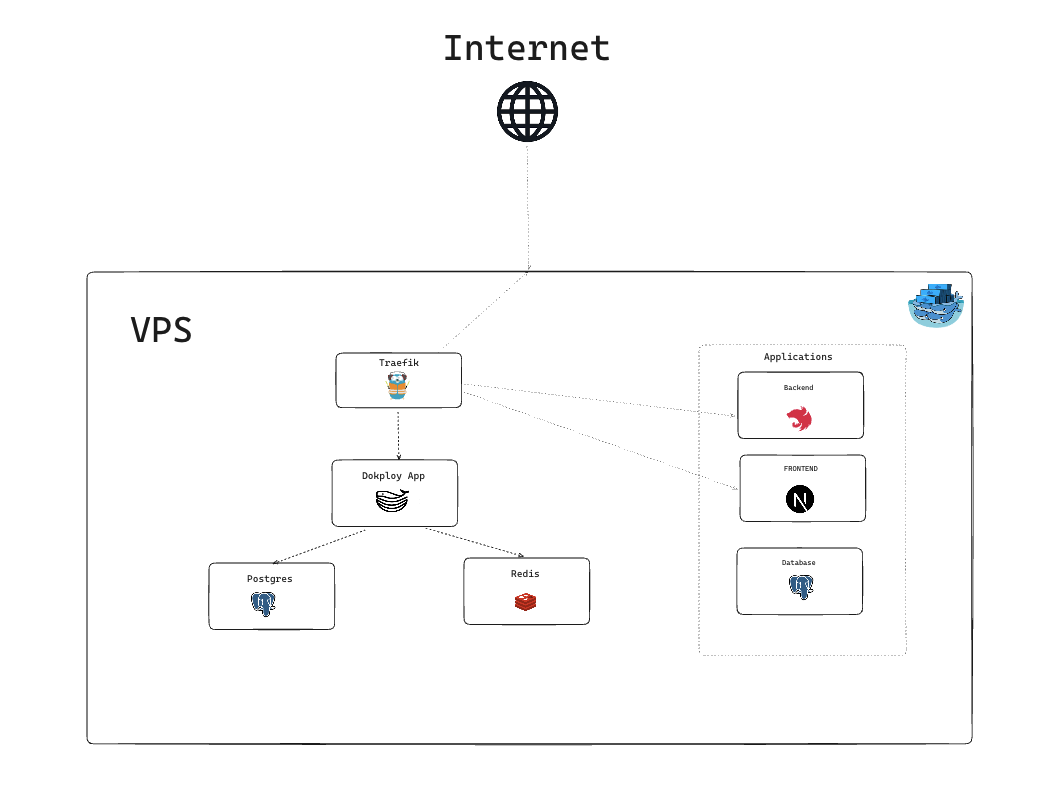
Under the hood, simplicity is built on mature open‑source components: Traefik as the reverse proxy to manage domains, SSL, and routing automatically; Redis for deployment queues to avoid resource conflicts; PostgreSQL for core data storage. This stack packages complex backend ops behind a clean Next.js frontend so developers can manage apps via UI instead of commands.
PaaS vs Serverless
A common confusion: when to choose traditional PaaS, and when to go Serverless. Both simplify deployment, but they solve different problems.
Serverless platforms like Vercel, Netlify, or cloud functions excel at stateless, event‑driven workloads. They scale automatically and bill on demand, but at the cost of strict runtime constraints: execution time, memory limits, cold start latency. This makes them great for API gateways, static site generation, image processing — not for long‑running services or persistent connections.
By contrast, a PaaS like Dokploy provides a full application runtime. It doesn’t force you to split apps into stateless functions, and it doesn’t restrict DB connections or file system access. For real‑time tools (e.g., WebSocket collaboration) or SaaS with complex state, containerized deployment is often the more realistic choice.
Cost structure matters too. Serverless pay‑per‑call is great for spiky traffic, but as scale grows, ongoing invocation costs can surpass fixed server costs. Dokploy’s self‑hosting lets you run on hardware you control, avoiding the cloud “growth tax” — important for indie developers and growing products.
Competitor Comparison
To show Dokploy’s advantages more clearly, here’s a feature comparison of mainstream open‑source PaaS platforms, based on the Dokploy docs:
| Feature | Dokploy | CapRover | Dokku | Coolify |
|---|---|---|---|---|
| Web UI | ✅ | ✅ | ❌ | ✅ |
| Docker Compose | ✅ | ❌ | ❌ | ✅ |
| API/CLI | ✅ | ✅ | ✅ | ✅ |
| Multi‑node | ✅ | ✅ | ❌ | ✅ |
| Traefik integration | ✅ | ✅ | Plugin | ✅ |
| User permissions | ✅ | ❌ | ❌ | ✅ |
| Bitbucket integration | ✅ | ❌ | ❌ | ❌ |
| GitLab integration | ✅ | ❌ | ❌ | ❌ |
| Gitea integration | ✅ | ❌ | ✅ | ❌ |
| Advanced permissions | ✅ | ❌ | ❌ | ❌ |
| Built‑in terminal | ✅ | ❌ | ❌ | ✅ |
| Database support | ✅ | ✅ | ❌ | ✅ |
| Monitoring | ✅ | ✅ | ❌ | ❌ |
| Auto backup | ✅ | Plugin | Plugin | ✅ |
| Open source | ✅ | ✅ | ✅ | ✅ |
| Notifications | ✅ | ❌ | ❌ | ✅ |
| Multi‑server | ✅ | ❌ | ❌ | ✅ |
| Templates | ✅ | ✅ | ❌ | ✅ |
| Shared env vars | ✅ | ❌ | ❌ | ✅ |
| Cron jobs | ✅ | ❌ | ❌ | ✅ |
| Cloudflare Tunnel | ❌ | ❌ | ❌ | ✅ |
| Preview deploy | ✅ | ❌ | ❌ | ✅ |
| Team features | ✅ | ❌ | ❌ | ✅ |
| Cloud/paid version | ✅ | ✅ | ✅ | ✅ |
The comparison shows Dokploy’s feature completeness, especially around Git integrations, permissions, and ops tooling. For indie developers, startups, or anyone hosting personal projects, Dokploy offers a strong mix of control, flexibility, and usability — letting you focus on building rather than infrastructure.